


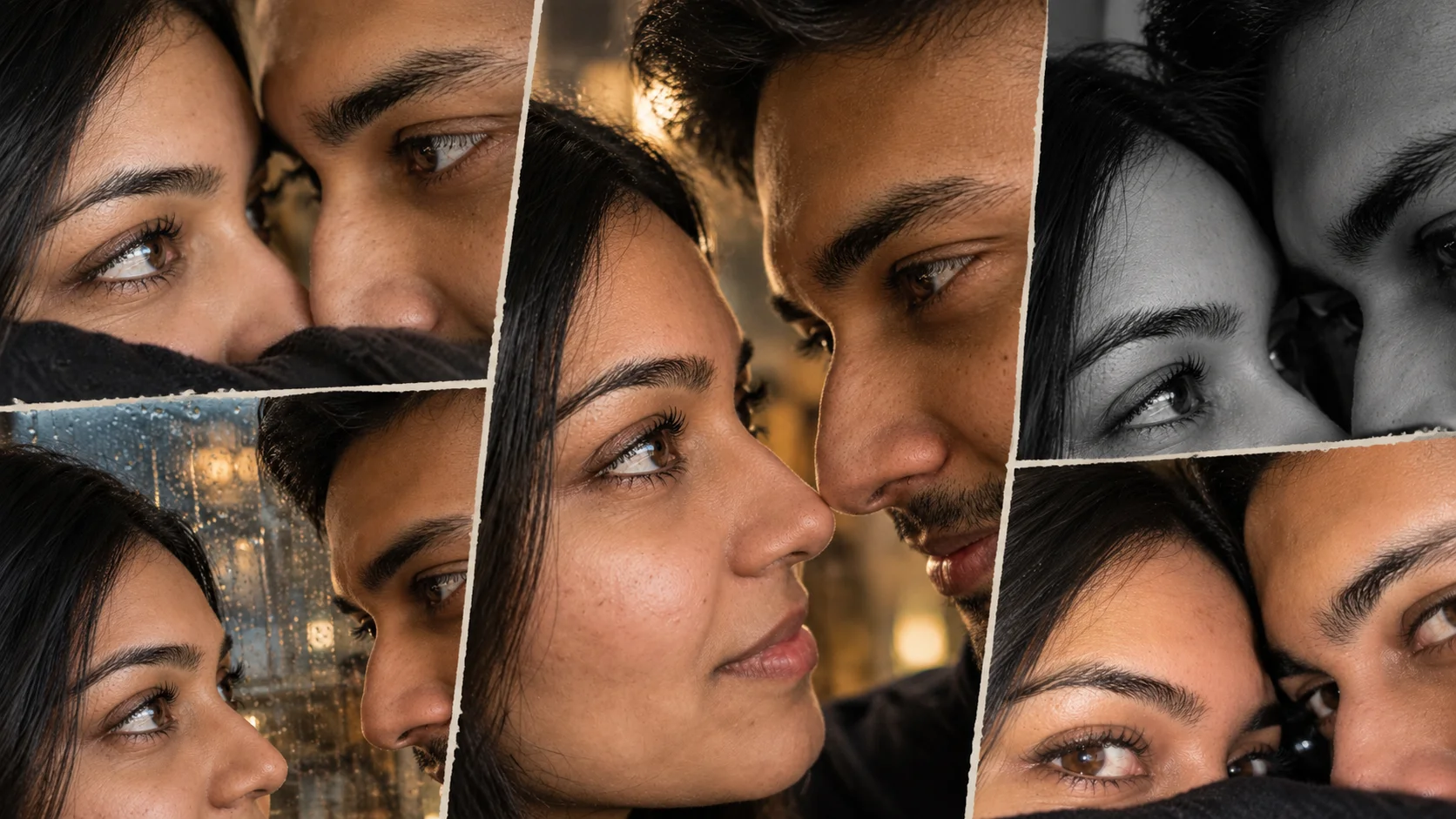
Aesthetic couple eyes photo prompts are popular because the image feels romantic without showing a full pose. The focus stays on the eyes, expressions, eyelashes, skin texture, soft light and close framing. This style works well for Instagram posts, lock screen wallpapers, couple profile images and romantic edits.
The main mistake people make is using a very generic couple prompt. For this trend, the prompt must clearly mention close-up framing, visible eyes, half-face composition, natural skin, realistic light and no fake AI look.
Below are original copy-ready prompts you can use in ChatGPT, Gemini or any AI image editor that supports uploaded reference photos.
All prompts are not yet model-tested, so treat them as draft prompts and adjust details according to your image.
1. Romantic Couple Eyes Close-Up Prompt
Best for: Soft romantic couple eye photo
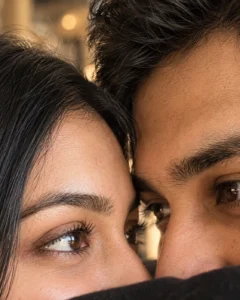
Prompt:
Create a realistic aesthetic couple eyes close-up photo using the uploaded couple reference images. Show only the upper half of both faces, very close together, with both eyes clearly visible and softly focused. Add natural skin texture, detailed eyelashes, soft warm light, gentle shadows, realistic eye reflections, cozy romantic mood and shallow depth of field. The image should look like a real smartphone photo, not an AI-generated collage. Keep the composition clean, intimate and natural. No text, no watermark.
Aspect Ratio: 4:5
Customizable Elements: Warm light, eye direction, background blur, skin tone
Test Status: Not yet model-tested
2. iPhone Lock Screen Couple Eyes Prompt
Best for: Wallpaper-style couple edit
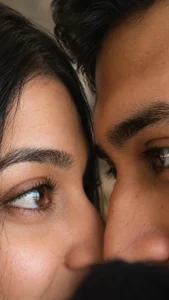
Prompt:
Transform the uploaded couple photos into an aesthetic iPhone lock screen style couple eyes portrait. Show an extreme close-up of both faces, with only one eye from each person visible in the frame. Keep the faces close, romantic and natural. Add soft indoor lighting, realistic skin pores, detailed eyelashes, subtle eye reflection, muted colors and a clean blurred background. Make it look like a real candid phone photo, not a poster or cartoon. No text, no logo, no watermark.
Aspect Ratio: 9:16
Customizable Elements: Eye position, lighting color, closeness, background
Test Status: Not yet model-tested
3. Half Face Couple Eyes Prompt
Best for: Trend-style romantic image
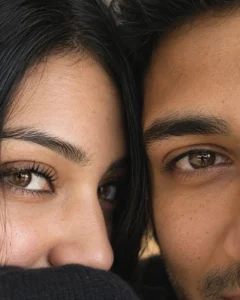
Prompt:
Create a half-face aesthetic couple portrait from the uploaded images. Frame both faces very close, showing only the eyes, eyebrows, nose bridge and part of the cheeks. The couple should look calm and connected, with natural eye contact and soft expressions. Add realistic skin texture, natural facial details, soft daylight, shallow depth of field, creamy color grading and a clean romantic mood. Avoid over-smoothing, plastic skin, extra eyes or distorted facial features. No text or watermark.
Aspect Ratio: 4:5
Customizable Elements: Daylight, face angle, eye contact, background tone
Test Status: Not yet model-tested
4. Cinematic Couple Eye Contact Prompt
Best for: Emotional cinematic couple portrait
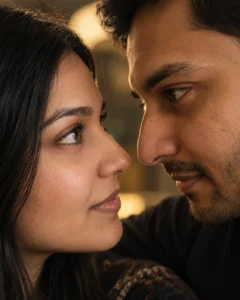
Prompt:
Use the uploaded couple photos to create a cinematic eye-contact close-up portrait. Show the couple facing each other closely, with their eyes meeting in the center of the frame. Use soft dramatic lighting, realistic eye detail, natural skin texture, gentle shadows, blurred background and warm romantic color grading. The mood should feel emotional and intimate, like a movie still, while keeping the result realistic and clean. No text, no watermark, no artificial glow.
Aspect Ratio: 16:9 or 4:5
Customizable Elements: Background, light direction, mood, color grading
Test Status: Not yet model-tested
5. Mirror Reflection Couple Eyes Prompt
Best for: Creative aesthetic edit
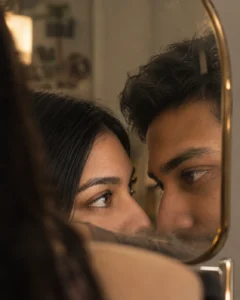
Prompt:
Create a realistic mirror reflection couple eyes photo using the uploaded couple images. Show both faces partly visible through a mirror reflection, with the main focus on their eyes. Add soft bathroom or bedroom lighting, slightly foggy mirror texture, natural skin detail, realistic eyelashes, subtle reflections and a quiet romantic atmosphere. Keep the image natural, stylish and believable. Do not add text, stickers, watermark or unrealistic shine.
Aspect Ratio: 4:5
Customizable Elements: Mirror style, lighting, reflection blur, background
Test Status: Not yet model-tested
6. Black and White Couple Eyes Prompt
Best for: Minimal emotional couple photo
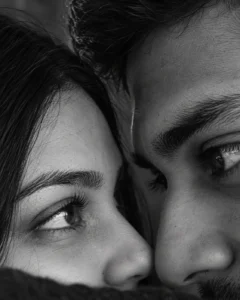
Prompt:
Turn the uploaded couple photo into a black and white aesthetic eyes close-up portrait. Show both faces close together, focusing on the eyes and natural expressions. Use soft contrast, realistic skin texture, detailed eyelashes, gentle shadows and a clean editorial photography look. The image should feel romantic, calm and timeless, without heavy filters or fake smooth skin. No text, no watermark.
Aspect Ratio: 4:5
Customizable Elements: Contrast, crop level, eye position, shadow depth
Test Status: Not yet model-tested
7. Rainy Window Couple Eyes Prompt
Best for: Moody romantic edit
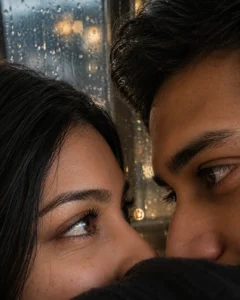
Prompt:
Create a romantic couple eyes close-up photo near a rainy window using the uploaded images. Show the couple close together, with their eyes visible and soft raindrops blurred on the glass behind them. Add natural skin detail, warm indoor light, cool rainy background, realistic eye reflections, shallow depth of field and a cozy emotional mood. The photo should look realistic and candid, like a quiet rainy evening memory. No text, no watermark.
Aspect Ratio: 4:5 or 9:16
Customizable Elements: Rain level, window background, warm/cool lighting, pose
Test Status: Not yet model-tested
8. Soft Flash Couple Eyes Selfie Prompt
Best for: Viral social media look
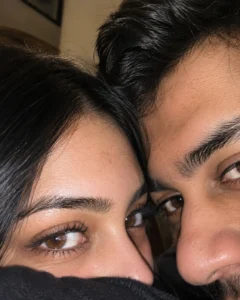
Prompt:
Create an aesthetic couple eyes selfie using the uploaded couple photos. Show both faces extremely close to the camera, with the eyes as the main focus. Add soft front-camera flash, natural skin texture, small realistic imperfections, detailed eyelashes, cozy indoor background, slight blur around the edges and an authentic smartphone selfie feel. Keep the image romantic but natural. Avoid plastic skin, extra facial features, cartoon style, text or watermark.
Aspect Ratio: 4:5
Customizable Elements: Flash strength, background, eye crop, selfie angle
Test Status: Not yet model-tested
How to Use These Prompts
Upload one clear photo of each person if the tool supports two references. If you have only one couple photo, use that as the reference and choose a prompt that keeps the same pose style.
For best results, use photos where the faces are visible and not heavily blurred. If the output changes the face too much, add: “keep both people natural and recognizable, without changing facial structure.” Do not expect perfect identity preservation from every AI tool.
Common Problems and Fixes
If the AI creates extra eyes, mention “only two people, one natural pair of eyes per person.”
If skin looks fake, add “natural pores, realistic skin texture, no beauty filter.”
If the crop is wrong, mention “show only the upper half of both faces.”
If it looks like a poster, add “real smartphone photo, no graphic design, no text.”
Frequently Asked Questions
What is an aesthetic couple eyes photo prompt?
It is a prompt that creates a romantic close-up image focused mainly on a couple’s eyes, face crop, lighting and expression.
Can I use two separate photos?
Yes. If your AI tool supports multiple reference images, upload both photos and ask it to create one natural couple close-up.
What is the best ratio for this trend?
Use 9:16 for lock screen or story style. Use 4:5 for Instagram feed posts.
Can AI keep both faces exactly the same?
Not always. It can keep the general look, but exact face preservation is not guaranteed.
Should I add text on the image?
No. For this trend, clean no-text images look better. Add text later only if needed.
Are these prompts tested?
No. These prompts are original drafts and are not yet model-tested.
