


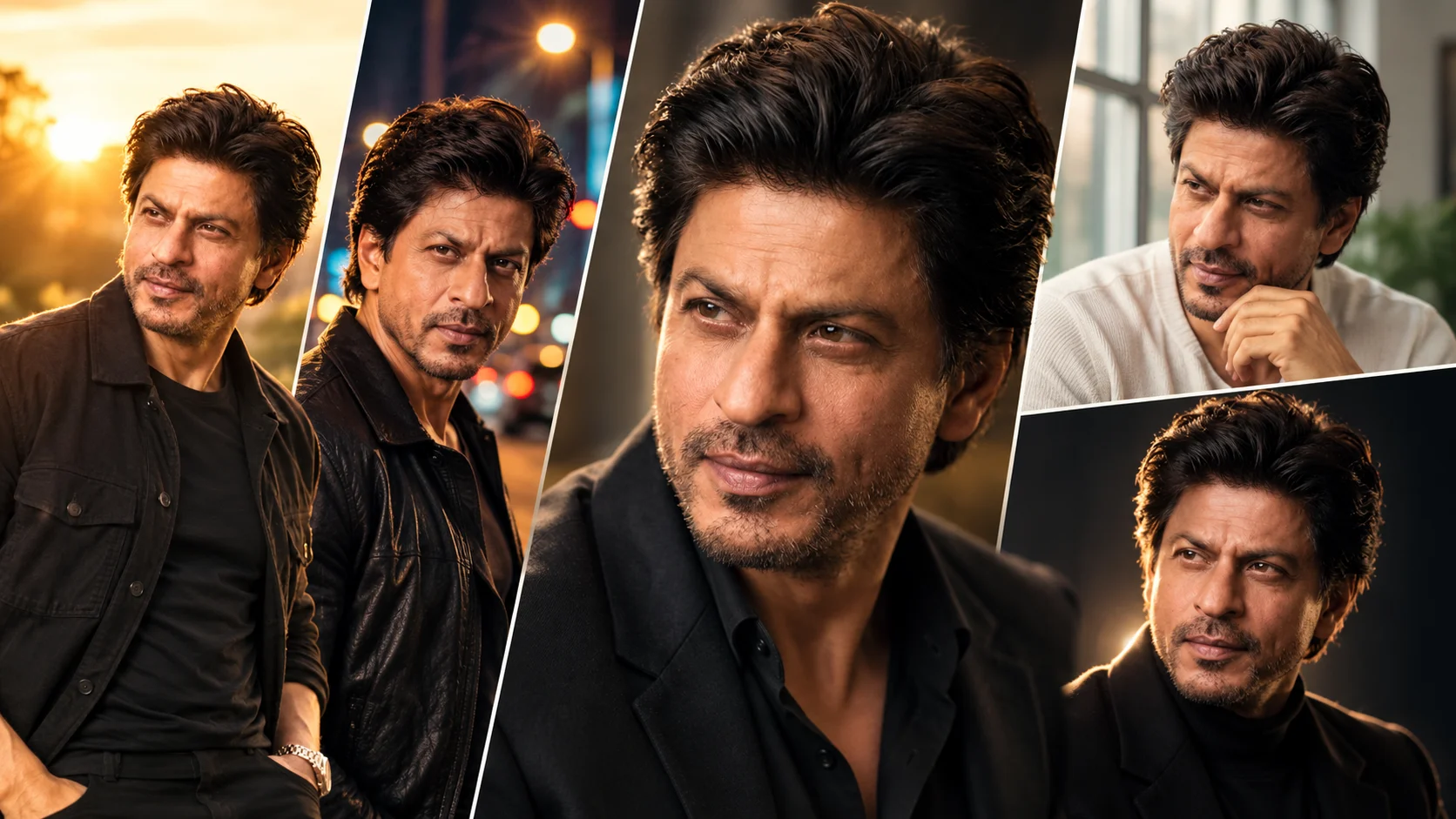
A cinematic portrait AI photo editing prompt helps turn a normal photo into a dramatic, realistic and social-media-ready portrait. This style focuses on lighting, camera angle, background depth, outfit details, facial expression and natural skin texture.
The best cinematic portrait prompts do not only change the background. They also change the mood, pose, look, face angle, expression and lighting style. Below are copy-ready prompts for boys and girls. You can use them in ChatGPT image tools, Gemini or other AI photo editors that support image editing with reference photos.
1. Golden Studio Portrait Prompt
Best for: Clean profile photo, premium portrait, Instagram display picture

Prompt:
Create a realistic cinematic studio portrait using the uploaded photo as reference. Keep natural recognizable facial features where possible. Place the subject in a warm golden studio setup with soft key light from the left side, gentle shadow on the opposite cheek and a blurred dark beige background. Style the subject in a clean modern outfit suitable for their gender, with neat hair, natural skin texture and confident posture. The face should be three-quarter angle, eyes looking slightly away from the camera, calm confident expression, sharp focus, shallow depth of field and premium editorial color grading. Avoid plastic skin, distorted eyes, extra fingers, text, logo and watermark.
Recommended Aspect Ratio: 4:5
Customizable Elements: Outfit color, background tone, expression, light direction
Test Status: Not yet model-tested
2. Cinematic Street Portrait Prompt
Best for: Boys and girls street-style photo edit
Prompt:
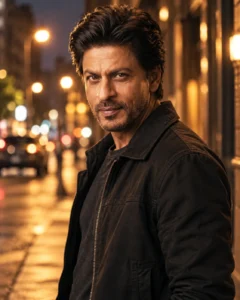
Edit the uploaded photo into a realistic cinematic street portrait. Place the subject on a clean urban street during evening time with soft orange streetlights and blurred city bokeh in the background. Change the outfit to a stylish casual streetwear look, with natural hair movement and relaxed body posture. The subject should stand slightly sideways, one shoulder closer to the camera, looking directly at the lens with a serious cinematic expression. Add realistic shadows, soft contrast, natural skin texture, film grain and shallow depth of field. Avoid over-saturated neon, fake background blur, distorted face, extra hands, text and watermark.
Recommended Aspect Ratio: 4:5 or 9:16
Customizable Elements: Street location, jacket style, lighting color, expression
Test Status: Not yet model-tested
3. Soft Window Light Portrait Prompt
Best for: Natural indoor portrait, calm aesthetic look
Prompt:
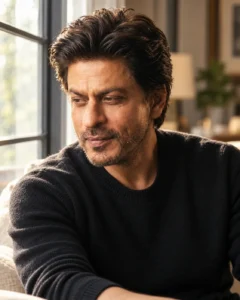
Create a realistic soft window light portrait from the uploaded image. Show the subject sitting near a large window with natural daylight falling softly on the face. Change the look to a simple elegant outfit that fits the subject naturally. The face should be slightly turned toward the window, eyes looking down with a thoughtful expression and relaxed shoulders. Add a blurred indoor background, soft shadows, natural skin texture, realistic hair detail and gentle cinematic color grading. Keep the image peaceful, clean and realistic. Avoid harsh filters, fake smooth skin, changed identity, extra limbs, text and watermark.
Recommended Aspect Ratio: 4:5
Customizable Elements: Room style, outfit, window direction, mood
Test Status: Not yet model-tested
4. Dark Film Portrait Prompt
Best for: Moody cinematic profile, dramatic portrait

Prompt:
Transform the uploaded photo into a dark cinematic film portrait. Keep the subject in sharp focus with a black or deep charcoal background, one soft rim light behind the shoulders and a controlled warm light on the face. Style the subject in a dark fashionable outfit with a clean hairstyle. The pose should be upright and still, with the face turned slightly to the side, eyes looking forward and a serious emotional expression. Add realistic skin texture, subtle film grain, deep shadows, soft highlights and professional portrait photography style. Avoid horror effects, over-dark face, unnatural eyes, extra hands, text and watermark.
Recommended Aspect Ratio: 4:5
Customizable Elements: Background color, rim light color, outfit, expression
Test Status: Not yet model-tested
5. Outdoor Golden Hour Portrait Prompt
Best for: Natural cinematic portrait with warm sunlight

Prompt:
Create a realistic outdoor golden hour portrait using the uploaded photo as reference. Place the subject in an open outdoor location with warm sunlight behind them, soft lens flare at the edge and blurred trees or buildings in the background. Change the outfit to a stylish casual look suitable for the subject, with natural hair and clean styling. The subject should face the camera from a slight lower angle, one hand relaxed near the pocket or waist, soft smile and bright natural eyes. Add realistic skin texture, warm highlights, soft shadows and cinematic depth of field. Avoid fake sunlight, overexposed face, distorted hands, text and watermark.
Recommended Aspect Ratio: 4:5 or 9:16
Customizable Elements: Outdoor location, outfit, sunlight strength, pose
Test Status: Not yet model-tested
6. Close-Up Cinematic Face Portrait Prompt
Best for: Sharp face-focused portrait

Prompt:
Edit the uploaded image into a realistic close-up cinematic face portrait. Keep the face sharp and natural, with visible skin texture and realistic eye detail. Use a clean blurred background with soft grey, brown or dark blue tones. The subject should look slightly past the camera with a calm emotional expression, head tilted very slightly, lips relaxed and natural hair framing the face. Add soft portrait lighting, shallow depth of field, subtle contrast and professional camera quality. Do not make the skin too smooth, do not change the face shape too much, avoid extra facial features, text, logo and watermark.
Recommended Aspect Ratio: 4:5
Customizable Elements: Background color, face angle, emotion, contrast level
Test Status: Not yet model-tested
How to Use These Prompts
- Upload a clear portrait photo.
- Copy one prompt from this article.
- Paste it into ChatGPT, Gemini or another AI photo editing tool.
- If the face changes too much, add: “keep natural recognizable facial features where possible.”
- If the image looks fake, add: “use realistic camera lighting, natural shadows and real skin texture.”
- Generate again with small changes instead of rewriting the full prompt.
Tips for Better Results
Use a clear face photo with good lighting. Avoid blurry selfies, heavy filters or photos where the face is too small. For Instagram posts, 4:5 works best. For reels, stories and wallpapers, 9:16 is better.
For boys, streetwear, jackets, shirts, formal outfits and outdoor cinematic scenes work well. For girls, soft studio light, fashion portraits, golden hour, saree or casual outfit styles can work beautifully. Always adjust outfit, pose and expression according to the subject.
Common Problems and Fixes
If the face changes too much, ask the tool to preserve natural recognizable facial features where possible.
If the skin looks plastic, add “natural pores, realistic skin texture and no beauty filter.”
If the background looks fake, add “realistic depth of field, natural shadows and believable location.”
If hands look wrong, add “hands should be natural, correct and not the main focus.”
If the portrait looks too dark, add “keep the face clearly visible with soft balanced lighting.”
Frequently Asked Questions
What is a cinematic portrait AI photo editing prompt?
It is a text instruction that tells an AI photo editor how to turn a normal photo into a realistic cinematic portrait with better lighting, pose, outfit, background and mood.
Which category should this post use?
Use Girls and Boys AI Prompts because the article includes portrait prompt styles for both boys and girls.
Can I use these prompts in ChatGPT?
Yes, you can use them in ChatGPT image tools if your account supports image upload and image generation.
Can these prompts keep the same face?
AI tools may change the face. You can reduce this by adding “keep natural recognizable facial features where possible,” but exact identity preservation is not guaranteed.
What is the best ratio for cinematic portraits?
Use 4:5 for Instagram feed posts and 9:16 for stories, reels covers and mobile wallpapers.
Are these prompts tested?
No. These prompts are not yet model-tested, so results can vary by tool, model version, photo quality and settings.
Final Words
Cinematic portrait prompts work best when the prompt controls more than the background. Change the lighting, outfit, pose, face angle, expression and camera feel. For more mixed boy and girl prompt ideas, browse the Boys AI Prompts category.
