


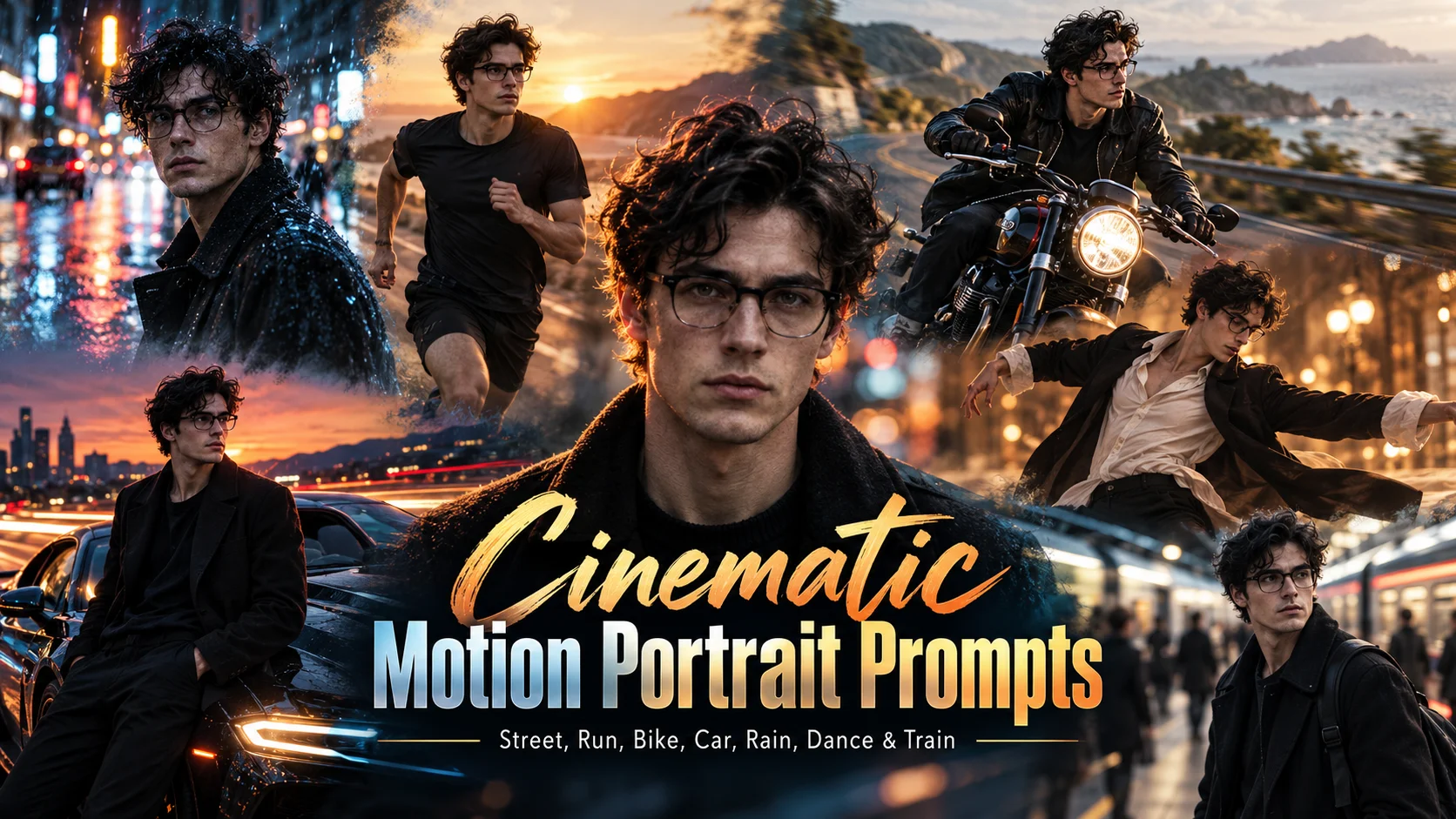
A motion cinematic AI photo editing prompt helps turn a normal still photo into a dramatic action-style image. Instead of a flat portrait, the image looks like it was captured during movement, with motion blur, speed trails, light streaks, wind, rain, road movement or action posing.
This style works well for Instagram posts, reels covers, profile edits, bike portraits, car photos, running shots, street fashion and cinematic wallpapers. The key is balance: the background can look fast and dynamic, but the face should stay clean and visible.
Below are copy-ready motion cinematic prompts for ChatGPT, Gemini and other AI photo editing tools.
1. Night Street Motion Blur Prompt
Best for: Stylish boys street portrait

Prompt:
Create a realistic cinematic motion blur portrait using the uploaded photo as reference. Keep natural recognizable facial features where possible. Place the subject on a wet night street with glowing city lights behind them. Add controlled motion blur in the background, as if cars and lights are moving fast, but keep the face sharp and clear. The subject should wear a stylish dark streetwear outfit, standing in a confident walking pose, body slightly angled, eyes looking toward the camera with a serious cinematic expression. Add wet road reflections, soft neon highlights, realistic skin texture, natural shadows and film-style color grading. Avoid blurring the face, distorted hands, fake neon overload, text, logo and watermark.
Recommended Aspect Ratio: 4:5 or 9:16
Customizable Elements: Outfit, light color, street background, blur strength
Test Status: Not yet model-tested
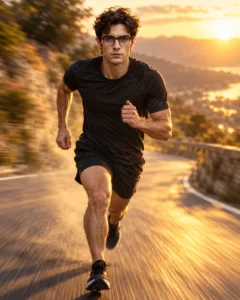
2. Running Action Motion Prompt
Best for: Fitness, sports, action portrait
Prompt:
Edit the uploaded photo into a cinematic running action portrait. Show the subject running on a clean outdoor road during golden hour with realistic motion blur behind them. Keep the face visible, sharp and natural. The subject should wear a sporty outfit, arms in a natural running position, one leg forward and expression focused. Add background speed blur, dust or light trail behind the movement, natural body proportions, realistic shadows, warm sunlight and professional action photography style. Avoid frozen awkward pose, extra legs, distorted shoes, blurred face, text and watermark.
Recommended Aspect Ratio: 4:5 or 16:9
Customizable Elements: Road type, outfit, sunlight, speed blur level
Test Status: Not yet model-tested
3. Bike Motion Cinematic Prompt
Best for: Bike rider photo, boys adventure edit

Prompt:
Create a realistic cinematic bike motion photo using the uploaded image as reference. Show the subject beside or riding a motorcycle on an open road with a dynamic motion effect. Keep the face clear and natural. The bike should have realistic wheels, proper shadows and believable reflections. Add motion blur to the road and background only, with light wind movement in hair or jacket. The subject should wear a stylish riding jacket, jeans and sneakers, looking slightly to the side with a confident expression. Add golden-hour lighting, cinematic contrast and road-trip atmosphere. Avoid distorted bike parts, floating wheels, extra fingers, blurred face, logo and watermark.
Recommended Aspect Ratio: 4:5 or 9:16
Customizable Elements: Bike color, road location, outfit, motion direction
Test Status: Not yet model-tested
4. Car Speed Trail Prompt
Best for: Car lifestyle portrait, cinematic travel edit

Prompt:
Transform the uploaded photo into a realistic car speed trail cinematic portrait. Place the subject standing beside a modern car on a clean road at dusk. Add subtle light streaks and background motion blur to create a sense of speed, while keeping the subject and car sharp. The subject should wear a stylish casual outfit, leaning lightly near the car with a calm confident expression and three-quarter face angle. Keep realistic car reflections, correct tires, natural shadows and sharp body lines. Add cinematic blue-orange lighting and premium road photography style. Avoid fake car proportions, route lines over the face, unreadable text, distorted hands and watermark.
Recommended Aspect Ratio: 16:9 or 4:5
Customizable Elements: Car color, road, light streaks, outfit
Test Status: Not yet model-tested
5. Rain Motion Street Prompt
Best for: Emotional cinematic motion edit

Prompt:
Create a moody rainy motion cinematic portrait using the uploaded photo as reference. Place the subject on a wet street during light rain with blurred moving lights in the background. Keep the face sharp and visible. The subject should wear a dark jacket, standing in a walking pose with one shoulder slightly forward, eyes looking down or away with a thoughtful expression. Add rain droplets, wet-road reflections, subtle motion streaks around the background, realistic skin texture and cinematic blue-grey color grading. Avoid heavy rain covering the face, overblurred subject, distorted hands, text and watermark.
Recommended Aspect Ratio: 4:5 or 9:16
Customizable Elements: Rain intensity, expression, outfit, light color
Test Status: Not yet model-tested
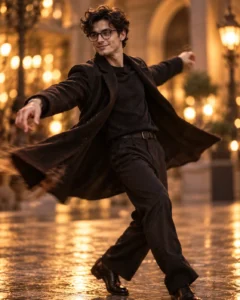
6. Dance Motion Cinematic Prompt
Best for: Stylish movement portrait, creative Instagram edit
Prompt:
Edit the uploaded image into a cinematic dance motion portrait. Show the subject in a natural dance or spin pose with the outfit and background showing gentle movement. Keep the face sharp, clean and realistic. Add soft motion blur around the arms, outfit edges and background, but keep the body proportions correct. The subject should wear a stylish outfit with natural fabric movement, looking slightly sideways with a confident happy expression. Use warm studio or outdoor lighting, soft shadows, realistic skin texture and dramatic cinematic color grading. Avoid broken arms, extra fingers, overblurred face, fake fabric movement, text and watermark.
Recommended Aspect Ratio: 4:5
Customizable Elements: Dance pose, outfit, background, blur intensity
Test Status: Not yet model-tested
7. Train Station Motion Prompt
Best for: Urban cinematic photo, travel mood

Prompt:
Create a realistic cinematic train station motion portrait using the uploaded photo as reference. Place the subject standing still on a platform while a train or crowd appears softly blurred in the background. Keep the subject sharp and centered. The subject should wear a modern travel outfit, holding a small bag or standing with relaxed hands, face turned slightly toward the camera with a calm expression. Add realistic station lighting, motion blur only in the background, natural skin texture, soft shadows and movie-style color grading. Avoid fake train details, blurred face, extra people attached to the body, text and watermark.
Recommended Aspect Ratio: 4:5 or 16:9
Customizable Elements: Station type, outfit, crowd blur, lighting mood
Test Status: Not yet model-tested
How to Use These Prompts
- Upload a clear portrait or full-body photo.
- Choose a motion style: street blur, running, bike, car, rain, dance, train station or zoom burst.
- Copy the full prompt and paste it into ChatGPT, Gemini or another AI photo editing tool.
- If the face becomes blurry, add: “keep the face sharp and clean.”
- If the motion effect looks too fake, reduce blur strength.
- Generate again with small changes instead of rewriting the full prompt.
Customization Tips
For realistic motion edits, blur the background, not the face. The subject should stay sharp while the road, lights, rain, crowd or vehicle movement creates the cinematic effect.
Use night streets for dramatic edits, golden hour for warm action portraits, rain for emotional motion and zoom burst for bold profile images.
Common Problems and Fixes
If the whole image is blurry, add: “only the background should have motion blur.”
If the face changes too much, add: “preserve natural recognizable facial features where possible.”
If hands or legs distort, use standing or walking poses instead of complex action poses.
If the motion effect looks artificial, reduce light streaks, speed trails and blur intensity.
Frequently Asked Questions
What is a motion cinematic AI photo editing prompt?
It is a text prompt that turns a normal photo into a cinematic still image with motion blur, speed trails or action-style movement.
Which category should this post use?
Use Boys AI Prompts because the motion style can work for boys.
Is this a video template article?
No. This is for still photo editing, not video editing.
Can I use these prompts in ChatGPT?
Yes, you can use them in ChatGPT image tools if your account supports image upload and photo editing.
How do I keep the face sharp?
Add “keep the face sharp and clean, apply motion blur only to the background.”
Are these prompts tested?
No. These prompts are not yet model-tested, so results can vary by tool, model version and image quality.
Final Words
Motion cinematic prompts work best when the movement effect is controlled. Keep the subject sharp, blur only the background or moving elements, and use realistic lighting so the final image looks like a cinematic action photo instead of a messy AI filter.
