


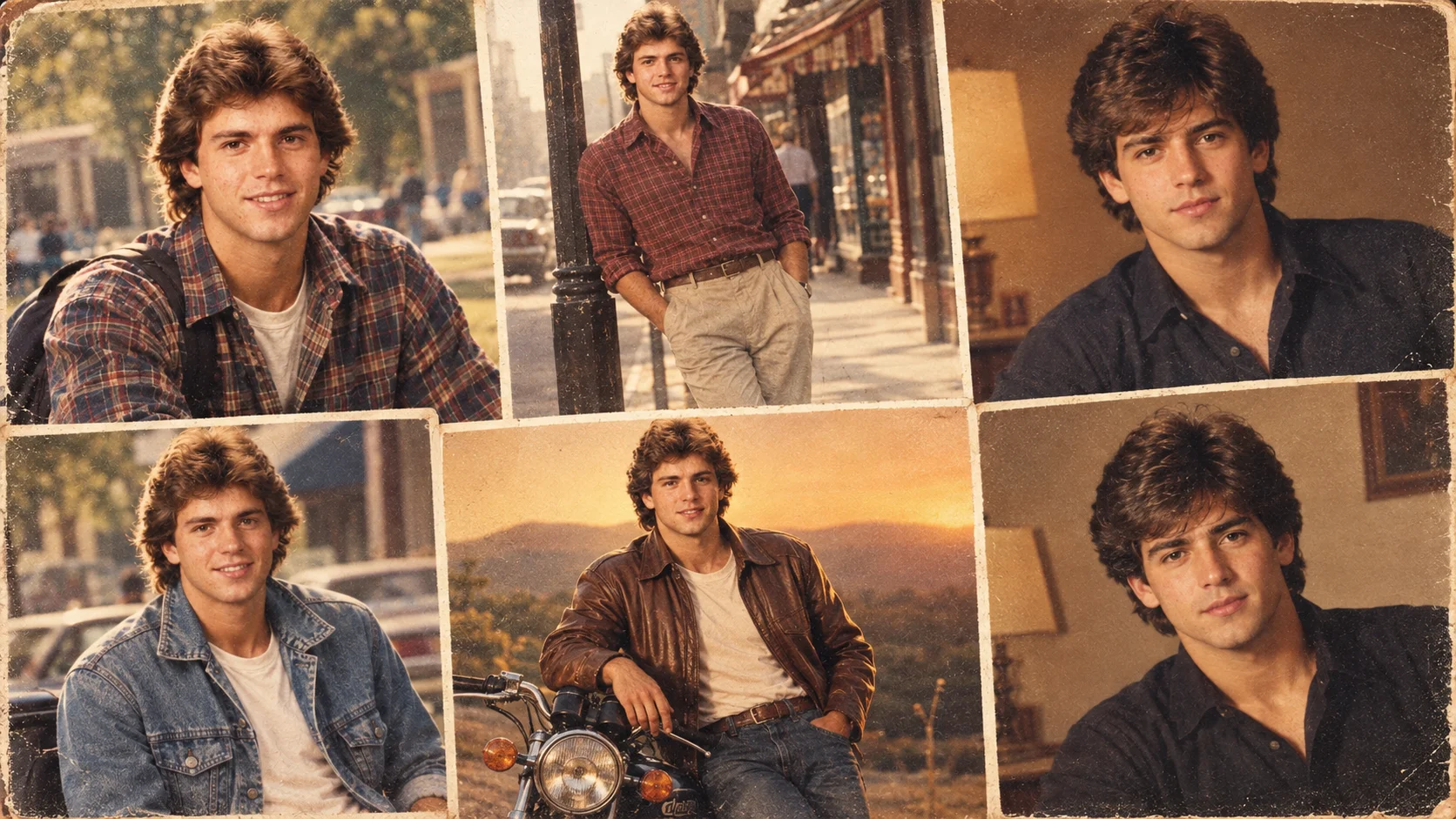
The 1980s look is one of the most popular retro photo styles right now. It gives a modern picture an old film-camera feeling with warm colors, soft grain, vintage outfits, classic hairstyles, and a slightly faded print-photo finish.
These 1980s look AI photo editing prompts are written for boys and men portraits. You can use them in ChatGPT image tools, Gemini, or any AI photo editor that accepts image prompts. Upload a clear photo first if the tool supports reference images, then copy one prompt and adjust the outfit, background, pose, or lighting.
These prompts are original and not yet model-tested. Results can change depending on the AI tool, model version, source photo quality, and prompt details.
How to Use These 1980s AI Photo Prompts
Choose a clear front-facing or half-body photo. Avoid blurry selfies, heavy filters, sunglasses, or photos where the face is hidden. Copy one prompt below and paste it into your AI image tool with your photo.
Do not ask the AI for “100% exact face copy.” That kind of wording can create unrealistic results and is not guaranteed by AI tools. A better instruction is to keep the person recognizable with natural facial structure, realistic skin texture, and believable lighting.
1. Classic 1980s Studio Portrait Prompt
Best for: Clean retro profile photo
Aspect Ratio: 4:5
Test Status: not yet model-tested

Prompt:
Transform this photo into a realistic 1980s studio portrait of a young man. Use warm vintage studio lighting, a soft faded background, natural skin texture, classic 1980s hairstyle, and a smart casual outfit. Add subtle analog film grain, slightly muted colors, soft shadows, and the look of an old printed photograph. Keep the person recognizable with natural facial structure and realistic details. Avoid cartoon style, plastic skin, distorted face, extra fingers, text, logos, and watermark.
Customize: shirt color, background color, hairstyle, expression.
2. 1980s Bollywood Hero Look Prompt
Best for: Dramatic Indian retro portrait
Aspect Ratio: 9:16 vertical
Test Status: not yet model-tested

Prompt:
Create a realistic 1980s Bollywood hero-style portrait of a young man based on the uploaded photo. Add a vintage film look with warm golden lighting, soft focus, light film grain, and a slightly dramatic expression. Style him with a classic 1980s jacket, open-collar shirt, natural hairstyle, and cinematic background lighting. The image should look like an old Indian film magazine photo from the 1980s. Keep skin texture realistic and avoid over-smoothing. No text, no watermark, no modern objects, no cartoon effect.
Customize: jacket style, background, expression, lighting intensity.
3. Denim Jacket 80s Photo Prompt
Best for: Stylish retro social media edit
Aspect Ratio: 4:5
Test Status: not yet model-tested

Prompt:
Turn this photo into a photorealistic 1980s fashion portrait of a young man wearing a vintage blue denim jacket over a plain white shirt. Use soft daylight, analog film texture, warm faded tones, natural shadows, and a slightly grainy old-camera finish. Add a simple outdoor or street background that feels period-accurate for the 1980s. Keep the pose confident but natural, with realistic hair, skin, fabric folds, and facial details. Avoid modern logos, smartphones, neon CGI effects, face distortion, and watermark.
Customize: denim color, background street, pose, hairstyle.
4. Old Film Camera Street Portrait Prompt
Best for: Candid retro street look
Aspect Ratio: 9:16 vertical
Test Status: not yet model-tested
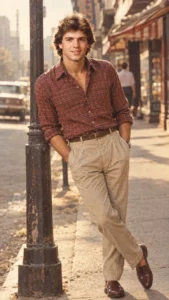
Prompt:
Create a realistic 1980s street portrait of a young man standing on an old city street. The photo should look like it was taken on a vintage film camera, with soft grain, faded warm colors, slight blur in the background, natural sunlight, and a candid pose. Style the subject with a retro shirt, simple trousers, classic shoes, and natural hair. Keep the face recognizable and realistic, with no artificial smoothing. Add old street details in the background without making the image crowded. No text, no watermark, no modern cars or phones.
Customize: street type, outfit, pose, sunlight direction.
5. Retro College Boy Portrait Prompt
Best for: Youthful 1980s look
Aspect Ratio: 4:5
Test Status: not yet model-tested
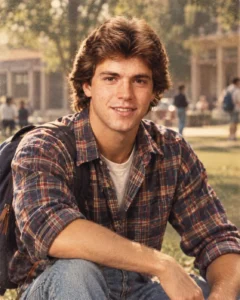
Prompt:
Transform this image into a realistic 1980s college boy portrait. The subject should wear a vintage checked shirt or simple sweater, with natural hairstyle and relaxed expression. Use a soft outdoor campus background, warm film tones, light grain, and the look of an old printed photograph. Keep the photo natural and believable, with realistic skin texture, fabric details, and soft daylight. Avoid modern accessories, text, artificial filters, cartoon style, face warping, and over-sharpening.
Customize: shirt pattern, campus background, pose, color tone.
6. 1980s Black Shirt Portrait Prompt
Best for: Simple dramatic profile photo
Aspect Ratio: 4:5
Test Status: not yet model-tested

Prompt:
Create a photorealistic 1980s portrait of a young man wearing a plain black shirt. Use warm indoor lighting, soft shadows, vintage film grain, muted brown and orange tones, and a slightly faded old-photo texture. The pose should be calm and confident, with natural eye contact and realistic facial details. Keep the background simple, like an old studio wall or warm room interior. The final image should feel like a real photograph from the 1980s, not a modern filtered selfie. No text, no watermark, no plastic skin, no distorted anatomy.
Customize: shirt style, background wall, lighting color, expression.
7. 1980s Motorcycle Style Prompt
Best for: Hero-style outdoor portrait
Aspect Ratio: 9:16 vertical
Test Status: not yet model-tested
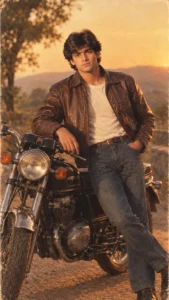
Prompt:
Create a realistic 1980s-inspired outdoor portrait of a young man standing beside a classic motorcycle. Style him with a vintage leather jacket, simple shirt, retro hairstyle, and confident natural pose. Use golden evening light, analog film grain, faded color tones, and a soft old-camera look. The background should feel like an old roadside or open street scene without modern signs or vehicles. Keep the person realistic and recognizable, with natural skin texture and believable clothing details. Avoid exaggerated action, CGI, text, logos, watermark, and face distortion.
Customize: motorcycle type, jacket color, background, pose.
8. 1980s Family Album Style Prompt
Best for: Natural old-photo feeling
Aspect Ratio: 4:5
Test Status: not yet model-tested

Prompt:
Transform this portrait into a realistic 1980s family album-style photo. Use soft flash lighting, warm faded colors, light film grain, simple indoor background, and a printed-photo texture. Style the young man with a neat retro shirt, natural hairstyle, and relaxed expression. The image should feel like an old photo kept in a family album, with realistic skin tone, soft shadows, and natural details. Avoid modern filters, high-gloss retouching, cartoon effect, text, watermark, and unrealistic face changes.
Customize: indoor background, shirt color, flash strength, photo age effect.
Tips for a More Realistic 1980s Look
Use era-specific details instead of only saying “retro.” Mention film grain, faded print texture, warm indoor lighting, denim jackets, checked shirts, classic hairstyles, old studio backdrops, and analog camera softness.
Keep the scene simple. If you add too many props, the AI may create a fake or messy image. One outfit, one background, and one lighting style usually works better.
For Indian retro style, use words like 1980s Bollywood hero look, vintage film magazine portrait, warm studio light, classic jacket, and old printed photo texture. Avoid asking the AI to copy a real actor’s face or exact celebrity identity.
Common Mistakes to Avoid
Do not use a blurry source photo. The AI needs a clear face and good lighting to create a believable edit.
Do not overload the prompt with too many decades. A 1970s look, 1980s look, and 1990s look are different. If you want an 80s result, keep the prompt focused on 1980s clothing, hair, colors, and camera texture.
Do not use copyrighted logos, brand marks, or celebrity likeness claims. Keep the prompt original and focused on general retro style.
Frequently Asked Questions
What is a 1980s look AI photo editing prompt?
It is a text instruction that tells an AI photo tool to turn a modern image into a realistic 1980s-style portrait with vintage clothing, film grain, warm colors, and old-camera texture.
Can I use these prompts in ChatGPT or Gemini?
Yes. You can use them in ChatGPT image tools, Gemini, or other AI photo editors that support prompt-based image editing.
Will the AI keep my face the same?
It may keep the person recognizable, but exact face matching is not guaranteed. Use a clear photo and ask for natural facial structure and realistic details.
Which prompt is best for Instagram?
The Bollywood hero look, denim jacket look, and motorcycle style prompts are the most social-media friendly.
What aspect ratio should I use?
Use 9:16 for stories and reels, 4:5 for Instagram posts, and 1:1 for profile photos.
How do I make the photo look less fake?
Ask for natural skin texture, soft film grain, faded colors, simple background, realistic lighting, and no plastic skin.
Final Note
Use one prompt at a time and keep your edits simple. A strong 1980s look comes from the right mix of clothing, hair, lighting, film grain, and old-photo texture. For more similar male portrait prompts, place this article under Boys AI Prompts.
