


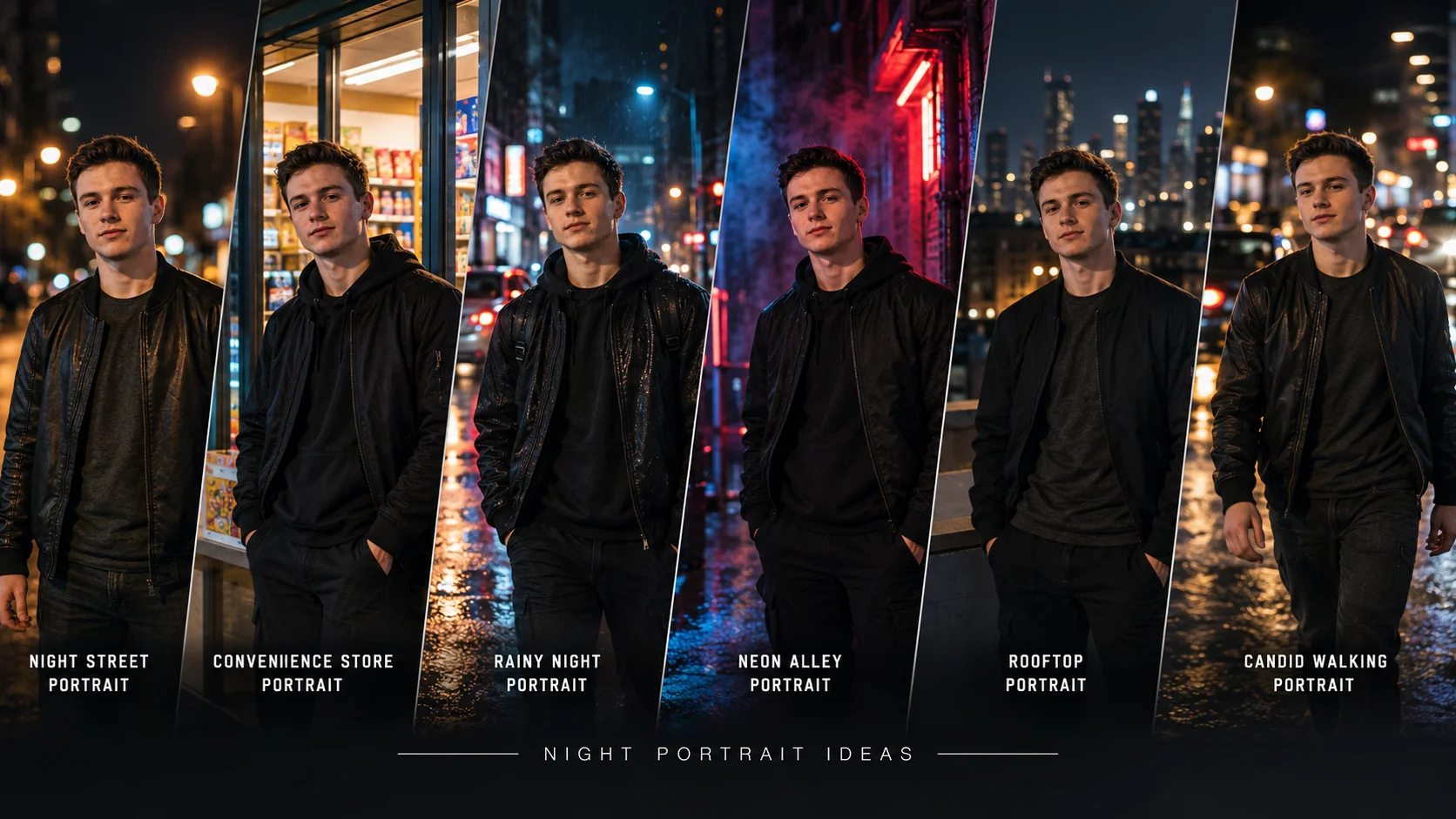
An aesthetic night street photo prompt helps turn a normal portrait into a cinematic urban image with streetlights, neon glow, wet roads, direct flash, soft bokeh and moody city colors. This style is popular because it looks like a candid night photo taken on a phone or a professional street portrait shot with a DSLR.
The key is not to make the image too dark or too artificial. A strong prompt should mention the subject clearly, the night street setting, lighting source, background blur, skin texture, clothing, mood and camera style.
Below are original copy-ready prompts for ChatGPT, Gemini and other AI photo editing tools.
All prompts are not yet model-tested, so use them as starting drafts and adjust according to your uploaded photo.
1: Cinematic Night Street Portrait
Best for: Clean urban night profile photo

Prompt:
Create a realistic aesthetic night street portrait using the uploaded photo as the main reference. Show the young man standing on a quiet city street at night, wearing a black jacket and casual outfit. Add warm streetlights, soft neon glow, wet road reflections, blurred background bokeh, realistic skin texture, natural facial details, sharp eyes, subtle film grain and cinematic urban color grading. Keep the pose confident and natural. No text, no watermark, no cartoon effect.
Aspect Ratio: 4:5
Customizable Elements: Jacket color, streetlight color, road reflection, pose
Test Status: Not yet model-tested
2: Night Flash Street Photo Prompt
Best for: Viral candid Instagram look
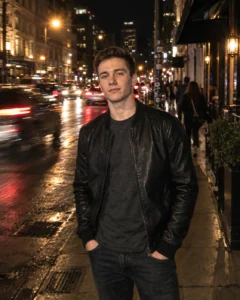
Prompt:
Transform the uploaded portrait into a candid night flash street photo. Show the young man standing on a city sidewalk at night, lit by soft direct camera flash, with warm streetlights and moving traffic blurred behind him. Keep the face mostly sharp, natural skin texture, realistic shadows, slight handheld camera feel, casual outfit and authentic social media photo style. Add subtle motion blur only in the background. No text, no watermark, no over-smoothed skin.
Aspect Ratio: 4:5
Customizable Elements: Flash strength, traffic blur, outfit, background street
Test Status: Not yet model-tested
3: Rainy Night Street Prompt
Best for: Moody cinematic edit

Prompt:
Create an ultra-realistic rainy night street portrait from the uploaded photo. Show the young man standing on a wet road with raindrops, soft neon signs, glowing streetlights and reflections on the pavement. Add a dark hoodie or jacket, calm serious expression, realistic hair, natural skin texture, cinematic blue-orange color grading, shallow depth of field and dramatic but believable lighting. Keep the image realistic, not fantasy style. No text or watermark.
Aspect Ratio: 9:16
Customizable Elements: Rain level, hoodie color, neon signs, expression
Test Status: Not yet model-tested
4: Neon Alley Street Prompt
Best for: Cyber urban portrait
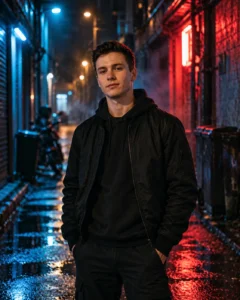
Prompt:
Use the uploaded image to create a cinematic neon alley portrait. Show the young man standing in a narrow city alley at night, with blue and red neon light on the walls, soft smoke or mist in the air, dark streetwear outfit, confident posture, realistic facial details and strong background separation. Add shallow depth of field, realistic shadows, detailed fabric texture and premium editorial street photography style. No text, no watermark, no sci-fi armor.
Aspect Ratio: 4:5
Customizable Elements: Neon colors, alley style, outfit, mist level
Test Status: Not yet model-tested
5: Streetlight Shadow Portrait
Best for: Minimal dark aesthetic
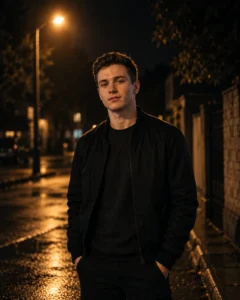
Prompt:
Create a moody night portrait using the uploaded photo. Show the young man standing alone under a single warm streetlight, with the rest of the street softly dark and blurred. Keep the face natural, eyes clear, skin realistic, outfit simple and shadows cinematic. Add soft rim light around the hair and jacket, subtle film grain, low contrast background and quiet emotional urban mood. No text, no watermark.
Aspect Ratio: 4:5
Customizable Elements: Streetlight warmth, outfit, shadow depth, background
Test Status: Not yet model-tested
6: Night Street Motion Blur Prompt
Best for: Candid walking photo
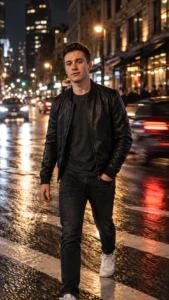
Prompt:
Transform the uploaded image into a candid night street walking portrait. Show the young man walking across a city street at night, with background lights and passing vehicles slightly motion-blurred. Keep the subject mostly sharp, face natural, outfit stylish, hands realistic and posture relaxed. Add warm and cool mixed lighting, wet pavement reflections, shallow depth of field and authentic handheld photography mood. No text, no watermark.
Aspect Ratio: 9:16
Customizable Elements: Walking direction, traffic lights, outfit, blur intensity
Test Status: Not yet model-tested
7: Convenience Store Night Prompt
Best for: Gen-Z street style portrait

Prompt:
Create a realistic night street portrait outside a small convenience store. Show the young man standing near the glowing shop entrance, wearing casual streetwear, with colorful product shelves softly visible through the glass, warm indoor light mixing with cool night shadows, realistic skin texture, natural expression, soft bokeh and cinematic street photography style. Keep the photo candid and real. No text, no watermark, no fake brand logos.
Aspect Ratio: 4:5
Customizable Elements: Store background, outfit, light color, pose
Test Status: Not yet model-tested
8: Rooftop Night City Portrait
Best for: Urban reel cover or DP

Prompt:
Create a cinematic rooftop night portrait from the uploaded photo. Show the young man standing on a rooftop with a blurred city skyline behind him, glowing windows, cool night air, dark jacket, natural confident expression and subtle rim light on his face. Add realistic skin texture, shallow depth of field, soft bokeh lights, gentle film grain and premium urban photography color grading. No text, no watermark.
Aspect Ratio: 9:16
Customizable Elements: Skyline, jacket, rim light, pose
Test Status: Not yet model-tested
How to Use These Prompts
Upload a clear portrait first. Then paste one prompt into ChatGPT, Gemini or another AI image editor that supports photo editing. Use 4:5 for Instagram posts and 9:16 for reels, stories or status images.
If the output becomes too dark, add: “keep the face clearly visible with balanced lighting.”
If the skin looks fake, add: “natural skin texture, no beauty filter, no plastic skin.”
If the background looks messy, add: “clean blurred city background with no readable signs.”
Common Mistakes to Avoid
Do not add too many neon colors in one prompt.
Do not make the whole photo blurry; keep the face sharp.
Do not ask for exact identity preservation as a guarantee.
Do not add fake brand logos or unreadable text on signs.
Do not overuse “8K masterpiece” if the image starts looking artificial.
Frequently Asked Questions
What is an aesthetic night street photo prompt?
It is a prompt that creates a night city portrait with streetlights, neon glow, bokeh, shadows and cinematic urban mood.
Which prompt is best for Instagram?
Use the night flash street photo prompt or rainy night street prompt for Instagram-style edits.
What aspect ratio should I use?
Use 4:5 for feed posts and 9:16 for reels, stories and WhatsApp status.
Can I use these prompts for girls too?
Yes, the lighting style works for girls too. This article is categorized for boys only because PromptSeen currently has no general street portrait category.
Why does my night photo look too dark?
Ask the AI to keep the face clearly visible, use balanced streetlight, and avoid heavy black shadows.
Are these prompts tested?
No. These are original draft prompts and are not yet model-tested.
