


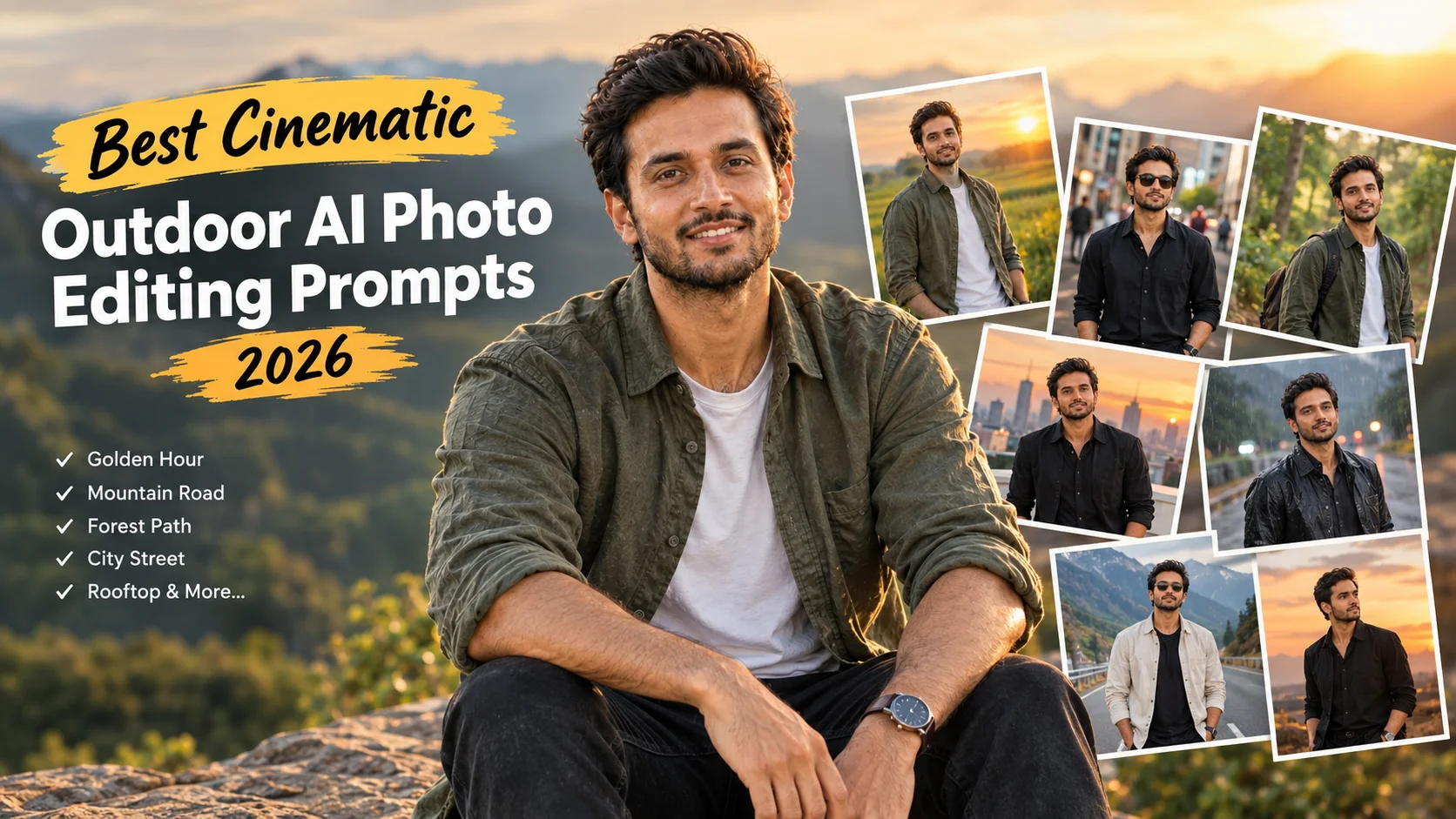
Upload a clear portrait first. A photo with visible face detail, simple lighting and a clean body pose usually gives better results.
Copy one prompt from this article and paste it into your AI editor. You can change the outfit, background, weather, time of day and camera angle before generating.
After the result appears, check the face, hands, clothes and background. If the image looks too artificial, ask the tool to make it more realistic, reduce skin smoothing and keep the face closer to the uploaded photo.
Best Cinematic Outdoor AI Photo Editing Prompts
1. Golden Hour Outdoor Portrait
Best for: Stylish Instagram profile photos

Prompt:
Create a realistic cinematic outdoor portrait from the uploaded boy photo. Place him in an open outdoor area during golden hour with warm sunlight, soft shadows, natural skin texture and a relaxed confident pose. Use shallow depth of field, clean background blur and premium lifestyle photography style. Keep the outfit modern and simple. Preserve the main facial features as much as possible without making the image look artificial. No text, no watermark, no extra people, no distorted hands and no cartoon effect.
Aspect Ratio: 4:5
Customizable: outfit color, background, pose, sunlight intensity
Test Status: not yet model-tested
2. Cinematic Street Outdoor Prompt
Best for: Urban lifestyle edits

Prompt:
Turn the uploaded boy photo into a cinematic street portrait. Show him standing on a clean city street with soft evening light, blurred buildings in the background, natural shadows and a stylish modern outfit. Keep the mood calm, confident and realistic. Add light film-style color grading without over-editing the face. The final image should look like a real outdoor fashion photo. Avoid text, watermark, extra fingers, fake tattoos, unrealistic face changes or messy background objects.
Aspect Ratio: 4:5
Customizable: city style, outfit, standing pose, lighting
Test Status: not yet model-tested
3. Forest Path Cinematic Prompt
Best for: Nature-style portraits
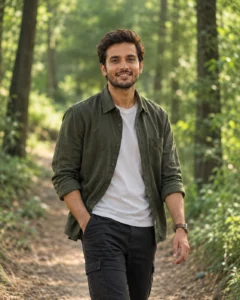
Prompt:
Create a cinematic outdoor forest portrait using the uploaded photo as reference. Place the subject on a quiet forest path with soft green background, natural daylight, gentle shadows and a relaxed walking pose. Keep the face sharp, background softly blurred and colors balanced. The image should feel peaceful, natural and professional. Do not make the skin plastic, do not change the person into someone else, and do not add text, watermark or extra people.
Aspect Ratio: 4:5
Customizable: forest density, outfit, walking pose, color tone
Test Status: not yet model-tested
4. Rooftop Outdoor Portrait Prompt
Best for: Modern cinematic city photos

Prompt:
Edit the uploaded boy photo into a cinematic rooftop portrait. Show him standing on a clean rooftop during sunset, with a soft city skyline in the background, warm light on the face and realistic clothing details. Keep the pose confident but natural. Use a professional camera look with soft depth of field and balanced contrast. Avoid extreme face changes, over-smooth skin, text, watermark, extra people or unrealistic background shapes.
Aspect Ratio: 4:5
Customizable: skyline, outfit, pose, sunset color
Test Status: not yet model-tested
5. Rainy Outdoor Cinematic Prompt
Best for: Moody social media edits
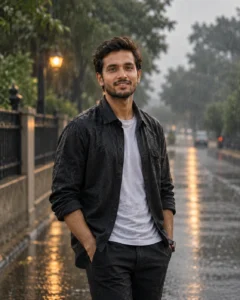
Prompt:
Transform the uploaded boy photo into a realistic rainy outdoor cinematic portrait. Place him on a quiet street or open pathway with light rain, wet ground reflections, soft cloudy lighting and a calm serious expression. Keep the clothing realistic with natural wet texture and balanced shadows. The image should feel emotional and cinematic without looking fake. No text, no watermark, no distorted face, no extra hands and no cartoon style.
Aspect Ratio: 4:5
Customizable: rain level, street style, outfit, expression
Test Status: not yet model-tested
6. Open Field Cinematic Portrait
Best for: Clean natural outdoor photos
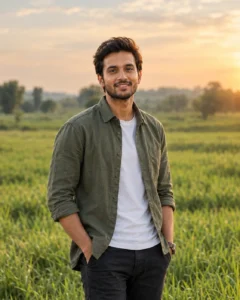
Prompt:
Create a cinematic open-field portrait from the uploaded boy photo. Place him standing in a wide green field with soft sunlight, gentle wind, natural background blur and a calm confident look. Keep the image realistic with normal skin texture, clean clothing detail and balanced warm color grading. The final result should look like a professional outdoor lifestyle photoshoot. Avoid text, watermark, extra people, distorted hands or artificial face changes.
Aspect Ratio: 4:5
Customizable: field type, outfit, pose, lighting
Test Status: not yet model-tested
7. Outdoor Black Outfit Prompt
Best for: Bold stylish edits
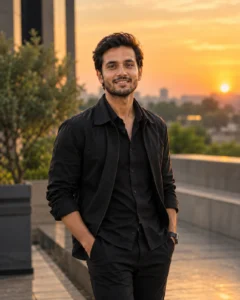
Prompt:
Use the uploaded boy photo to create a cinematic outdoor portrait with a black outfit. Place him in a modern outdoor location with warm sunset light, soft shadows, sharp face detail and clean background blur. Keep the expression natural and confident. The photo should look stylish, realistic and social-media-ready. Do not add text, watermark, fake accessories, extra fingers, face distortion or over-edited skin.
Aspect Ratio: 4:5
Customizable: black shirt, jacket, background, camera angle
Test Status: not yet model-tested
8. Mountain Road Cinematic Prompt
Best for: Travel-style outdoor portraits

Prompt:
Create a realistic cinematic mountain road portrait using the uploaded boy photo as reference. Show him standing or walking on a quiet road with hills in the background, soft daylight, natural shadows and a relaxed travel mood. Keep the subject sharp and the background slightly blurred. Use clean color grading and realistic detail. Avoid text, watermark, extra people, distorted hands, unrealistic body shape or heavy filters.
Aspect Ratio: 4:5
Customizable: mountain background, outfit, pose, time of day
Test Status: not yet model-tested
Tips for Better Cinematic Outdoor Results
Use a clear source image where the face is visible. If the uploaded photo is too dark, blurry or heavily filtered, the AI tool may change the face more than expected.
Keep the outdoor scene simple. One clear background, one lighting style and one pose are enough. Too many details can make the result look crowded or unnatural.
If the output looks fake, use this correction prompt:
For Instagram posts, use a 4:5 aspect ratio. For stories or reels covers, use 9:16. For website banners, use 16:9.
Common Mistakes to Avoid
Do not ask the AI tool to guarantee exact face preservation. It can follow a reference image, but small facial changes may still happen.
Avoid adding too many props, vehicles, lights or background people. Simple cinematic scenes usually look more realistic.
Do not use private photos or someone else’s image without permission. If the photo includes a real person, only edit and publish it when you have the right to use it.
