


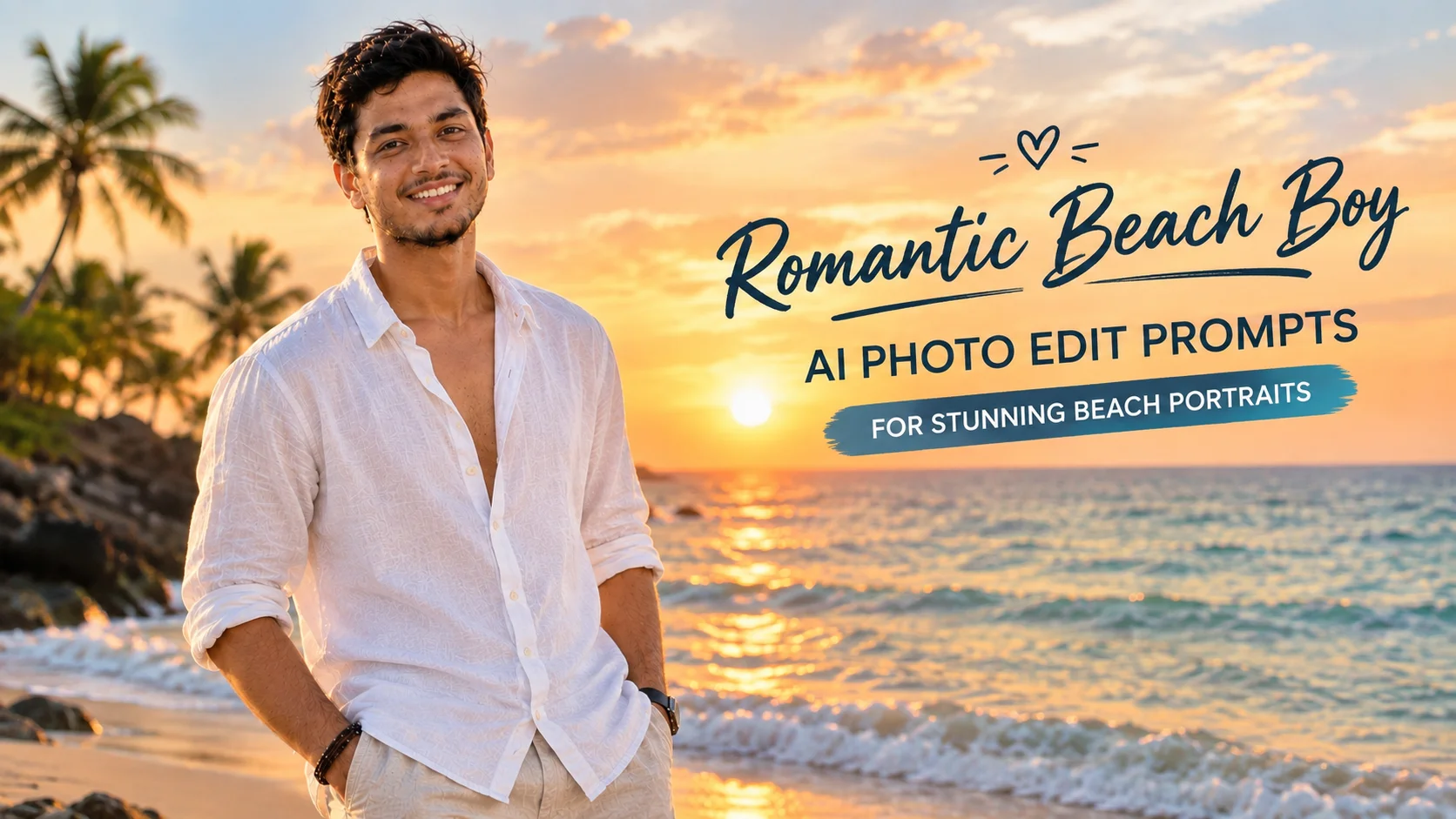
A romantic beach boy AI photo edit prompt helps you turn a normal boy portrait into a clean beach-style image with sunset light, ocean background, cinematic colors and a soft emotional mood. These prompts are useful for Instagram posts, profile photos, reels covers, travel-style edits and creative AI portraits.
You can use these prompts in AI photo editing tools that accept an uploaded image and text instructions, such as Gemini, ChatGPT image tools or similar editors. Results can change depending on your source photo, lighting, face angle and the model you use, so treat each prompt as a starting point and refine it after the first output.
How to Use These Prompts
Upload a clear photo first. A front-facing or slightly side-facing portrait works better than a blurry, dark or heavily filtered image.
Copy one prompt from below and paste it into your AI editor. If you want a more natural result, keep the prompt simple and avoid asking for too many changes at once.
After the image is generated, check the face, hands, clothing edges and background. If anything looks strange, ask the tool to make the edit more realistic and closer to the uploaded photo.
Best Romantic Beach Boy AI Photo Edit Prompts
1. Golden Hour Beach Boy Portrait
Best for: Instagram profile photos and clean romantic beach edits
Aspect Ratio: 4:5
Test Status: not yet model-tested
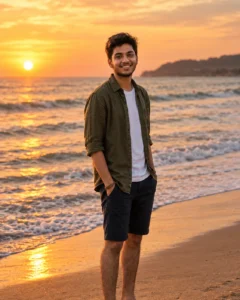
Prompt:
Create a realistic golden hour beach portrait from the uploaded boy photo. Place him near the ocean during sunset with warm sunlight on his face, soft waves in the background, natural skin texture and a relaxed confident pose. Keep the outfit stylish but simple, with a clean beach mood and cinematic photography style. Preserve the main facial features as much as possible without making the result look artificial. No text, no watermark, no extra people, no distorted hands and no cartoon effect.
Customizable: outfit color, beach location, pose, sunset intensity
2. Romantic Walking on Beach Prompt
Best for: Natural travel-style beach photos
Aspect Ratio: 4:5
Test Status: not yet model-tested

Prompt:
Turn the uploaded boy portrait into a realistic beach walking photo. Show him walking barefoot near the shoreline during soft evening light, wearing a casual open shirt and comfortable beachwear. Add gentle ocean waves, wet sand reflections and a calm romantic travel mood. The final image should look like a natural outdoor photoshoot, not an over-edited poster. Avoid face distortion, extra fingers, fake text, watermark or unrealistic body shape.
Customizable: shirt style, pants, beach background, walking direction
3. Cinematic Beach Sunset Edit
Best for: Stylish cinematic portraits
Aspect Ratio: 4:5
Test Status: not yet model-tested
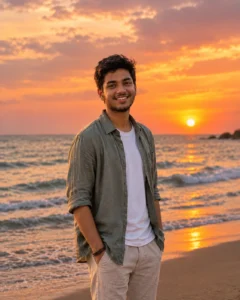
Prompt:
Create a cinematic beach sunset photo using the uploaded boy image as reference. Place him standing near the sea with orange and pink sunset clouds behind him, soft wind in the hair, natural shadows and a calm romantic expression. Use realistic camera depth of field, warm color grading and sharp face detail. Keep the photo clean, premium and suitable for social media. Do not add text, logo, extra people, plastic skin or unrealistic facial changes.
Customizable: sky color, pose, clothing, background blur
4. Rainy Beach Mood Prompt
Best for: Emotional and moody photo edits
Aspect Ratio: 4:5
Test Status: not yet model-tested

Prompt:
Transform the uploaded boy photo into a romantic rainy beach scene. Show him standing near the ocean under a cloudy sky with light rain, wet sand, soft reflections and a calm emotional mood. Keep the lighting realistic and cinematic, with natural skin texture and simple stylish clothing. The photo should feel peaceful and dramatic without looking fake. Avoid extra hands, distorted face, text, watermark, cartoon style or heavy over-smoothing.
Customizable: rain level, outfit, sky mood, pose
5. Luxury Beach Vacation Prompt
Best for: Premium lifestyle edits
Aspect Ratio: 4:5
Test Status: not yet model-tested

Prompt:
Create a realistic luxury beach vacation portrait from the uploaded boy photo. Place him near a clean tropical beach with blue water, soft sunlight, modern resort background and a relaxed confident pose. Use a stylish summer outfit, natural face detail, realistic shadows and high-quality lifestyle photography style. The image should look polished but still natural. Do not create an artificial face, extra people, text, watermark or unrealistic luxury objects.
Customizable: resort style, outfit, sunglasses, background
6. Black Shirt Beach Portrait
Best for: Bold and stylish social media photos
Aspect Ratio: 4:5
Test Status: not yet model-tested

Prompt:
Edit the uploaded boy photo into a stylish beach portrait. Show him wearing a black casual shirt near the sea during sunset, with soft wind, warm light, clean ocean background and a confident natural expression. Keep the image realistic with balanced contrast, sharp facial detail and cinematic colors. Avoid changing the person too much. No text, no watermark, no extra fingers, no fake tattoos and no over-edited skin.
Customizable: shirt color, pose, sunset background, camera angle
7. Beach Bike Lifestyle Prompt
Best for: Trendy lifestyle edits
Aspect Ratio: 4:5
Test Status: not yet model-tested
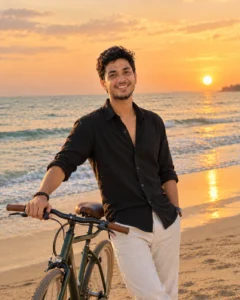
Prompt:
Create a realistic beach lifestyle photo from the uploaded boy image. Place him standing beside a simple beach bicycle near the shoreline, with golden evening light, soft waves and a relaxed travel mood. Keep the pose natural, clothing stylish and background clean. The image should look like a professional outdoor portrait. Do not add text, watermark, extra people, distorted hands, unrealistic bike parts or cartoon effects.
Customizable: bicycle style, outfit, beach road, lighting
8. Calm Ocean Sitting Pose Prompt
Best for: Peaceful profile photos
Aspect Ratio: 4:5
Test Status: not yet model-tested

Prompt:
Turn the uploaded boy photo into a calm beach sitting portrait. Show him sitting on a clean rock or wooden beach step near the ocean, looking relaxed and thoughtful, with soft sunset light and natural background blur. Keep the face realistic, skin texture natural and clothing simple. The image should feel romantic, quiet and cinematic. Avoid text, watermark, extra people, distorted feet, wrong hands or unrealistic face changes.
Customizable: sitting place, outfit, expression, ocean background
Tips for Better Results
Use a clear image where the face is visible. AI editors usually perform better when the original photo has good lighting and a simple background.
Do not overload the prompt with too many elements. One beach, one outfit style, one pose and one lighting direction are enough for a clean result.
If the generated image looks too fake, use a correction prompt like:
If the background looks messy, ask the tool to simplify the beach scene and remove unwanted objects.
Common Mistakes to Avoid
Do not ask the AI tool to guarantee the exact same face. You can ask it to keep the main facial features close, but AI image results may still change small details.
Avoid using someone else’s private photo without permission. If the image shows a real person, only edit photos you own or have the right to use.
Do not add text inside the AI image unless you really need it. AI tools often generate broken or unreadable text, and it can make the photo look low quality.
