


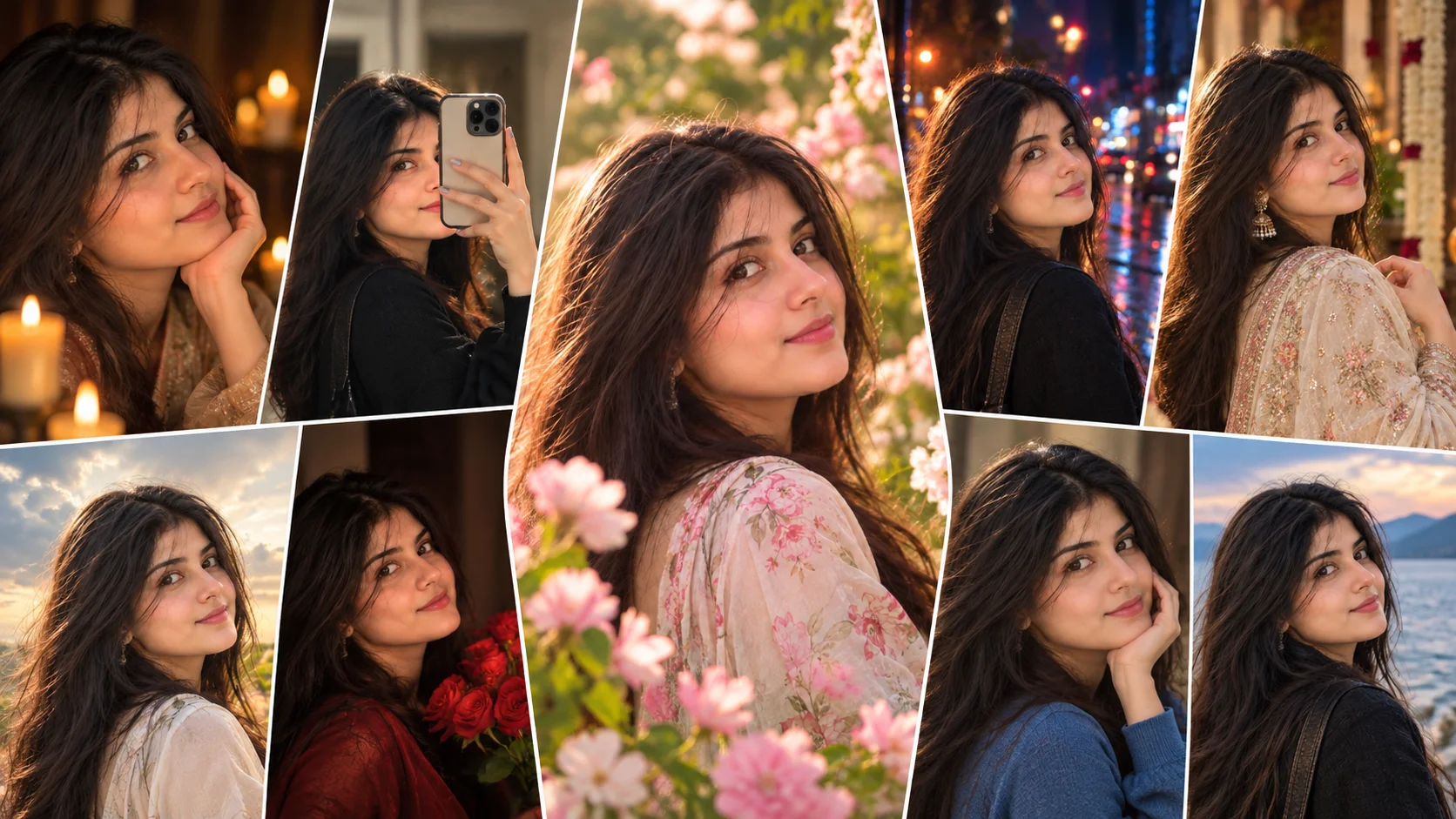
Viral AI photo editing prompts are copy-paste instructions that help turn a normal photo into a cinematic, stylish or social-media-ready image. These prompts are useful for ChatGPT image editing, Gemini and other AI photo tools that support image upload and editing.
The main goal is simple: upload your photo, paste a prompt, and guide the AI toward a specific look. The result can be a close-up portrait, rainy photo, retro studio image, floral portrait, red light edit, mirror selfie restyle or cinematic Instagram-style picture.
These prompts are not magic. Results depend on the quality of your uploaded photo, the AI tool, model version, lighting, pose and how clearly the prompt is written. Use a clear portrait photo for best output.
1. Cinematic Close-Up Portrait Prompt
Best for: Profile picture or Instagram DP
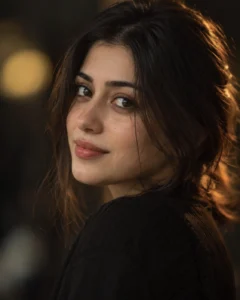
Prompt:
Create a realistic cinematic close-up portrait of the girl from the reference photo. Keep her face sharp and naturally detailed, with expressive eyes, realistic skin texture, soft lips, subtle makeup and a calm confident expression. Add warm key light on the face, soft rim light around the hair, dark blurred background, shallow depth of field and premium editorial color grading. The result should look like a professional 85mm portrait photo. Avoid plastic skin, face distortion, fake eyes, text, logo and watermark.
Recommended aspect ratio: 4:5 or 1:1
Customizable elements: Expression, background color, light warmth, makeup level
Test status: Not yet model-tested
2. Rainy Street Portrait Prompt
Best for: Emotional monsoon-style edit
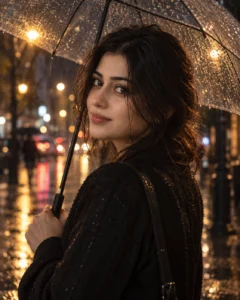
Prompt:
Create a cinematic rainy street portrait of the girl from the uploaded photo. Show her standing on a wet city street with soft raindrops, glowing street lights, realistic road reflections, slightly wet hair, natural skin texture and detailed eyes. Add a transparent umbrella, dark stylish outfit, shallow depth of field and moody film-style color grading. Keep the face visible and realistic. Avoid fake rain, distorted hands, over-smoothed skin, unreadable text, logos and watermark.
Recommended aspect ratio: 4:5 or 9:16
Customizable elements: Umbrella, outfit, rain intensity, street lights
Test status: Not yet model-tested
3. 1980s Retro Film Portrait Prompt
Best for: Viral retro trend look
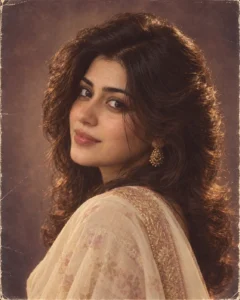
Prompt:
Recreate the uploaded photo as a realistic 1980s-inspired studio portrait. Add soft vintage studio lighting, warm film tones, subtle analog grain, classic hairstyle, elegant traditional outfit, gentle makeup and a slightly faded photo texture. Keep the face natural and recognizable without over-changing facial features. The image should feel like an old film-era portrait, not a cartoon or modern filter. Avoid modern objects, text, watermark, distorted face and plastic skin.
Recommended aspect ratio: 4:5
Customizable elements: Outfit, hairstyle, film grain, background color
Test status: Not yet model-tested
4. Red Studio Light Portrait Prompt
Best for: Bold cinematic portrait
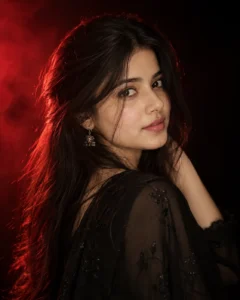
Prompt:
Create a cinematic red studio light portrait of the girl from the reference photo. Use a deep black studio background, dramatic red rim light from one side, soft neutral light on the face, glossy hair highlights, realistic skin texture, detailed eyes and an elegant black outfit. Add subtle haze, high contrast shadows and premium fashion photography mood. Keep the face natural and clear. Avoid excessive red spill, face distortion, fake skin, extra fingers, text and watermark.
Recommended aspect ratio: 4:5
Customizable elements: Red light direction, outfit color, expression, background darkness
Test status: Not yet model-tested
5. Blossom Beauty Portrait Prompt
Best for: Soft floral Instagram photo
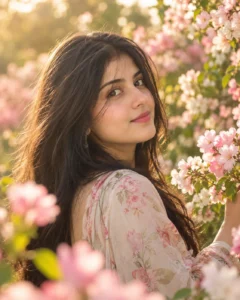
Prompt:
Create a cinematic blossom beauty portrait of the girl from the uploaded photo standing in a soft flower garden. Add pink and white blossoms around her, golden sunlight, creamy background blur, natural skin texture, expressive eyes, soft wind in hair and an elegant pastel outfit. Use shallow depth of field and warm cinematic color grading. Keep the image realistic and graceful. Avoid fake flowers, plastic skin, distorted hands, text, logo and watermark.
Recommended aspect ratio: 4:5
Customizable elements: Flower color, outfit, sunlight, background blur
Test status: Not yet model-tested
6. Mirror Selfie Restyle Prompt
Best for: Instagram mirror selfie upgrade
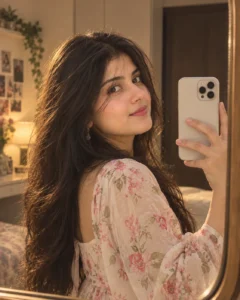
Prompt:
Transform the uploaded mirror selfie into a clean cinematic Instagram-style portrait. Keep the same mirror-selfie composition but improve the lighting, background, outfit styling and overall mood. Add soft room light, natural skin texture, clean reflection, elegant pose, modern outfit and smooth color grading. Make the image look premium and realistic without changing the face too much. Avoid messy background, warped mirror, fake phone shape, distorted hands, text and watermark.
Recommended aspect ratio: 4:5 or 9:16
Customizable elements: Room style, outfit, phone color, lighting mood
Test status: Not yet model-tested
7. Candlelight Beauty Portrait Prompt
Best for: Warm dramatic portrait
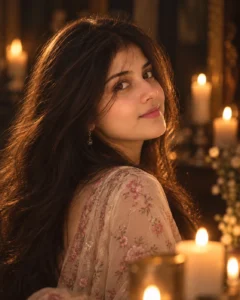
Prompt:
Create a cinematic candlelight portrait of the girl from the reference photo. Add warm candlelight on one side of the face, soft shadows, dark background, realistic skin texture, glossy eyes, natural lips and a calm emotional expression. Place small blurred candles in the background with warm bokeh. The image should feel intimate, elegant and realistic. Avoid harsh orange color, fake flame, distorted eyes, over-smoothed skin, text and watermark.
Recommended aspect ratio: 4:5
Customizable elements: Candle position, background darkness, expression, makeup
Test status: Not yet model-tested
8. Outdoor Sunlight Fashion Prompt
Best for: Natural outdoor portrait
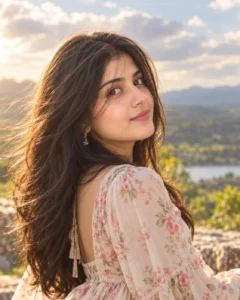
Prompt:
Create a realistic outdoor fashion portrait of the girl from the uploaded photo. Add soft sunlight, natural cloudy sky, clean background, elegant outfit, realistic hair movement, detailed face, natural skin texture and warm cinematic color grading. Use shallow depth of field and DSLR-style portrait quality. Keep the image fresh, bright and realistic. Avoid overexposure, fake sky, plastic skin, distorted body shape, text and watermark.
Recommended aspect ratio: 4:5
Customizable elements: Outfit, sky, sunlight, background location
Test status: Not yet model-tested
9. Aesthetic Night Street Prompt
Best for: Dark urban Instagram look
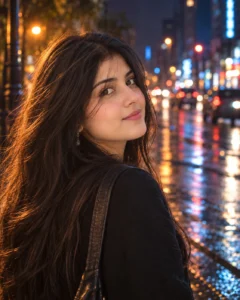
Prompt:
Create a cinematic night street portrait of the girl from the uploaded image. Place her on a modern city street with blurred neon lights, wet road reflections, soft background bokeh, stylish outfit, natural skin texture and confident expression. Use blue and orange cinematic lighting with shallow depth of field. Keep the face clear and realistic. Avoid overdone neon, blurry face, extra limbs, fake signs, text and watermark.
Recommended aspect ratio: 4:5 or 9:16
Customizable elements: Neon color, outfit, street background, pose
Test status: Not yet model-tested
10. Soft Traditional Outfit Prompt
Best for: Cultural/festive portrait
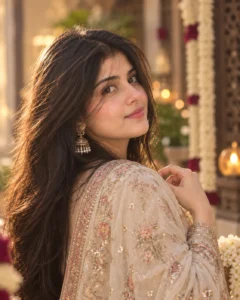
Prompt:
Create a realistic cinematic portrait of the girl wearing an elegant traditional outfit. Use soft natural lighting, beautiful fabric details, subtle jewelry, clean background, natural skin texture, detailed eyes and graceful expression. Add warm color grading and shallow depth of field for a premium festive portrait look. Keep the image realistic and respectful. Avoid fake jewelry, distorted hands, excessive makeup, text, logo and watermark.
Recommended aspect ratio: 4:5
Customizable elements: Saree, lehenga, shalwar kameez, jewelry, background
Test status: Not yet model-tested
How to Use These Viral Prompts
- Upload a clear photo to your AI image editing tool.
- Copy one prompt from this article.
- Paste it with the uploaded photo.
- If the result looks fake, ask for realistic skin texture and natural lighting.
- If the face changes too much, ask for closer facial consistency with the uploaded photo.
- Check eyes, hands, background, outfit and watermarks before publishing.
Customization Tips
For Instagram profile photos, use close-up portrait, red studio light or candlelight prompts.
For reels and story covers, use rainy street, night street or mirror selfie prompts.
For soft feminine looks, use blossom beauty, outdoor sunlight or traditional outfit prompts.
For viral trend style, use the 1980s retro prompt, but avoid claiming the image is real or historically accurate.
Common Problems and Fixes
If the face changes too much, use a clearer reference photo and add: “keep the facial structure natural and close to the uploaded photo.”
If the image looks fake, add: “realistic photography, natural skin texture, no CGI, no cartoon effect.”
If hands are distorted, use close-up framing or add: “hands outside the frame.”
If the background has random text, add: “no readable text, no signs, no watermark.”
If the colors are too strong, add: “balanced color grading, natural contrast, realistic lighting.”
Frequently Asked Questions
What are viral AI photo editing prompts?
They are copy-paste instructions used with AI image tools to create trending photo styles such as cinematic portraits, rainy edits, retro looks, studio lighting and Instagram-style images.
Can I use these prompts in ChatGPT?
Yes, you can use them in ChatGPT image editing if your account supports image upload and image generation.
Are these prompts the latest viral prompts?
They are written around current popular AI photo editing styles, but trends change quickly. That is why the article avoids claiming every prompt is permanently latest.
Which prompt is best for Instagram?
The close-up portrait, rainy street, red studio light and mirror selfie restyle prompts are strong choices for Instagram-style posts.
Can I use these prompts for boys too?
Yes. Replace “girl” with “boy” or “man” where needed. This article is categorized under Girls AI Prompts because the examples are written for girls.
Are these prompts tested?
These prompts are not yet model-tested. Results can vary depending on your photo, AI tool, model version and editing settings.
Final Words
Viral AI photo editing prompts work best when the prompt is specific and the uploaded photo is clear. Start with the cinematic close-up portrait if you want a clean profile photo, or use the rainy street and red studio prompts if you want a stronger Instagram-style result.
For more prompt ideas, explore the Girls AI Prompts category on Prompt Seen.
