


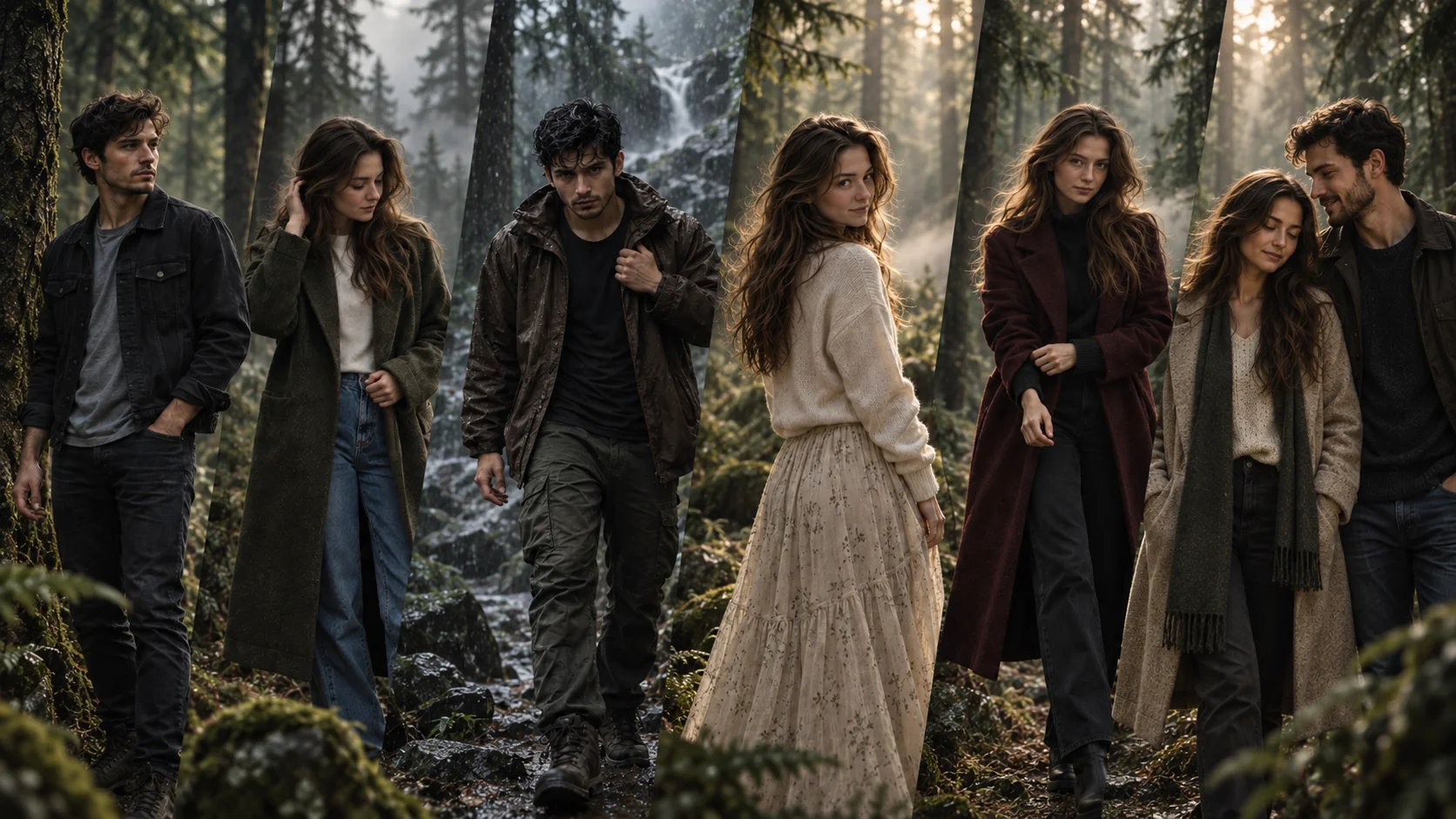
A cinematic moody forest filter prompt is used to turn a normal portrait into a dark, atmospheric forest-style image. This look usually includes deep green tones, fog, soft light rays, faded shadows, muted colors and a movie-scene feeling.
This style works well for Instagram posts, profile pictures, reel covers, wallpapers and dramatic portrait edits. The key is not just adding a forest background. A good prompt should also control the outfit, pose, face angle, expression, lighting, camera style and color grade.
Below are copy-ready ChatGPT prompts for girls and boys. You can use them with ChatGPT image editing, Gemini or any AI image tool that supports reference photo editing.
1. Dark Foggy Forest Portrait Prompt for Boys
Best for: Cinematic DP, serious profile photo, dark forest look
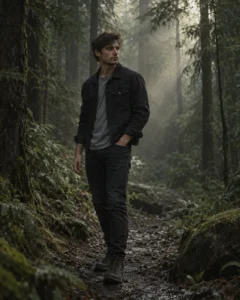
Prompt:
Create a realistic cinematic moody forest portrait using the uploaded boy’s face as reference. Show him standing on a narrow forest path surrounded by tall dark green trees and soft fog. He is wearing a black denim jacket, plain grey t-shirt, dark jeans and boots. His body should be slightly turned to the side, with one hand in his pocket and the other relaxed naturally. Keep his face at a three-quarter angle, looking slightly away from the camera with a calm serious expression. Add soft light rays through the trees, muted green color grading, faded blacks, natural skin texture, realistic shadows, shallow depth of field and subtle film grain. Avoid cartoon style, over-smoothing, distorted face, extra fingers, fake forest background, text, logo and watermark.
Recommended Aspect Ratio: 4:5
Customizable Elements: Jacket color, fog level, forest density, expression
Test Status: Not yet model-tested
2. Soft Moody Forest Filter Prompt for Girls
Best for: Aesthetic girl portrait, soft cinematic edit, Instagram post
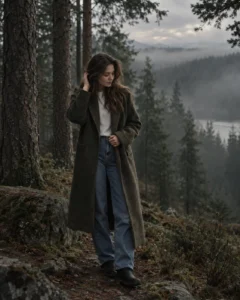
Prompt:
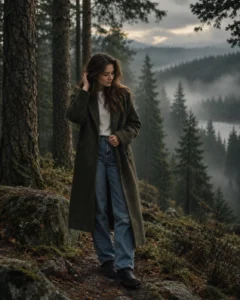
Create a realistic soft moody forest photo edit using the uploaded girl’s face as reference. Show her standing near tall pine trees during cloudy evening light. She is wearing a long olive coat, white top, relaxed jeans and simple boots. Her pose should look natural, with one hand lightly touching her hair and the other holding the coat edge. Keep her face slightly tilted downward, looking to the side with a peaceful thoughtful expression. Add gentle fog, dark green forest tones, soft matte color grading, realistic hair texture, natural skin detail, background blur and cinematic film-style lighting. Avoid glamour exaggeration, distorted eyes, extra hands, plastic skin, text and watermark.
Recommended Aspect Ratio: 4:5
Customizable Elements: Coat color, hairstyle, fog amount, background trees
Test Status: Not yet model-tested
3. Rainy Forest Cinematic Prompt for Boys
Best for: Emotional edit, rain look, dramatic boy portrait
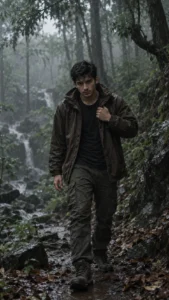
Prompt:
Create a realistic rainy forest portrait using the uploaded boy’s face as reference. Show him standing under tall wet trees on a muddy forest trail after rain. He is wearing a dark brown jacket, black t-shirt, cargo pants and hiking shoes. His pose should be slightly leaned forward, holding the jacket collar with one hand while the other hand stays relaxed. Keep his face front-facing but slightly lowered, with a focused intense expression. Add wet leaves, soft rain mist, realistic water drops on the jacket, cool green and grey color grading, cinematic shadows and natural facial details. Avoid unrealistic rain, changed face, extra limbs, overly sharp background, text, logo and watermark.
Recommended Aspect Ratio: 9:16
Customizable Elements: Jacket color, rain intensity, trail style, facial expression
Test Status: Not yet model-tested
4. Dreamy Forest Light Prompt for Girls
Best for: Wallpaper-style edit, dreamy portrait, soft forest mood
Prompt:
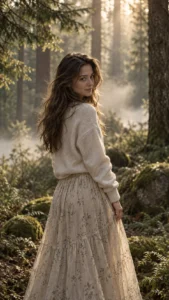
Create a realistic dreamy cinematic forest portrait using the uploaded girl’s face as reference. Show her standing in a quiet forest clearing with soft morning light coming through the trees. She is wearing a cream sweater, long skirt and minimal accessories. Her body should be turned slightly away from the camera, with her head turned back gently. Keep her face at a three-quarter angle with a soft natural smile and relaxed eyes. Add light fog, golden-green highlights, soft bokeh, realistic fabric folds, natural skin texture and a calm cinematic atmosphere. Avoid fantasy wings, unrealistic glow, distorted hands, face morphing, text and watermark.
Recommended Aspect Ratio: 4:5 or 9:16
Customizable Elements: Sweater color, skirt style, light direction, smile intensity
Test Status: Not yet model-tested
5. Dark Green Movie Scene Prompt for Boys
Best for: Movie-poster look, serious attitude photo, cinematic forest style
Prompt:
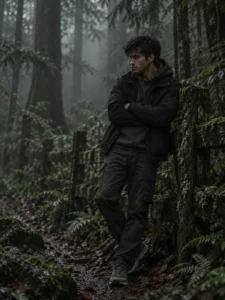
Create a realistic dark green movie-scene portrait using the uploaded boy’s face as reference. Show him standing beside an old wooden fence inside a dense forest. He is wearing a dark green hoodie layered under a black jacket, straight pants and clean sneakers. His pose should be strong but relaxed, with arms crossed and shoulders slightly turned. Keep his face in side profile, looking into the forest with a thoughtful serious expression. Add low-key lighting, deep forest shadows, fog layers in the background, muted colors, realistic skin texture and subtle film grain. Avoid horror effects, fake face, extra fingers, bad anatomy, text and watermark.
Recommended Aspect Ratio: 3:4
Customizable Elements: Hoodie color, fence style, fog density, shadow level
Test Status: Not yet model-tested
6. Elegant Forest Fashion Prompt for Girls
Best for: Fashion-style portrait, editorial forest look, premium Instagram image
Prompt:
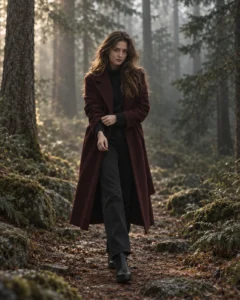
Create a realistic editorial forest fashion portrait using the uploaded girl’s face as reference. Show her walking slowly on a forest path with tall trees behind her. She is wearing a dark maroon long coat, black trousers and ankle boots. Her pose should look candid, with one foot slightly forward and one hand adjusting the coat sleeve. Keep her face front-facing with a confident calm expression, looking directly toward the camera. Add cinematic forest haze, muted green background, soft side lighting, natural hair movement, realistic shadows and premium DSLR portrait quality. Avoid over-edited skin, distorted body shape, extra hands, messy background, text and watermark.
Recommended Aspect Ratio: 4:5
Customizable Elements: Coat color, path style, camera angle, expression
Test Status: Not yet model-tested
7. Simple Forest Filter Prompt
Best for: Applying only a moody forest filter to an existing portrait
Prompt:
Apply a cinematic moody forest filter to the uploaded portrait while keeping the original subject natural. Add dark green and olive color grading, soft matte contrast, faded blacks, realistic fog, subtle film grain, gentle background depth and soft forest-inspired lighting. Keep natural skin texture and recognizable facial features where possible. Do not over-smooth the face, do not add cartoon effects, do not change the body shape, and avoid text, logos or watermarks.
Recommended Aspect Ratio: Use original photo ratio
Customizable Elements: Color grade, fog strength, shadow level, film grain
Test Status: Not yet model-tested
8. Couple-Style Moody Forest Prompt
Best for: Two-person forest edit, romantic but subtle portrait
Prompt:
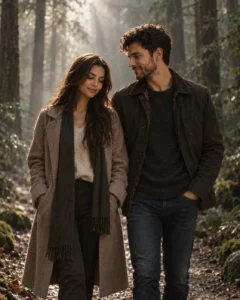
Create a realistic cinematic moody forest photo using the uploaded two-person reference image. Show the couple standing on a quiet forest trail surrounded by mist and tall trees. Keep the pose natural and respectful, with both people standing close but not overly dramatic. The boy should wear a dark jacket and jeans, looking slightly toward the girl with a calm expression. The girl should wear a soft neutral coat, looking down with a gentle smile. Add muted green tones, soft fog, realistic shadows, natural skin texture, subtle light rays and a film-still atmosphere. Avoid exaggerated romance, distorted faces, extra hands, artificial glow, text and watermark.
Recommended Aspect Ratio: 4:5 or 9:16
Customizable Elements: Outfit colors, couple pose, fog level, light direction
Test Status: Not yet model-tested
How to Use These Prompts
- Upload a clear portrait photo.
- Copy one prompt from this article.
- Paste it into ChatGPT, Gemini or your preferred AI image tool.
- If the result changes the face too much, add: “keep natural recognizable facial features where possible.”
- If the result looks too dark, add: “keep the face clearly visible with soft cinematic light.”
- Generate again with small edits instead of changing the full prompt every time.
Customization Tips
You can change the forest mood depending on the result you want:
- For dark edits, use “deep green shadows, faded blacks and low-key lighting.”
- For dreamy edits, use “soft fog, gentle morning light and warm green highlights.”
- For rainy edits, use “wet leaves, rain mist and realistic jacket reflections.”
- For fashion edits, use “editorial pose, premium outfit and DSLR portrait quality.”
- For profile pictures, use 4:5.
- For reels covers or wallpapers, use 9:16.
Common Problems and Fixes
Problem: The face becomes too dark.
Fix: Add “keep the face clearly visible with soft natural light on the subject.”
Problem: The forest looks fake.
Fix: Add “realistic trees, natural depth, believable fog and real outdoor lighting.”
Problem: The image looks like a cartoon.
Fix: Add “photorealistic DSLR photo, natural skin texture, no illustration or anime style.”
Problem: The pose looks stiff.
Fix: Add “natural candid pose, relaxed shoulders and realistic body posture.”
Problem: Fog covers the subject.
Fix: Add “keep fog mainly in the background, not covering the face.”
Frequently Asked Questions
What is a cinematic moody forest filter prompt?
It is a text prompt that tells an AI image tool to create a dark, atmospheric forest-style edit with fog, green tones, soft shadows and film-like lighting.
Can I use these prompts for both girls and boys?
Yes. This article includes prompt versions for girls and boys, and you can replace the gender wording based on your uploaded image.
Which prompt is best for Instagram profile pictures?
Use the dark foggy forest portrait for boys or the soft moody forest filter prompt for girls. Both work well in 4:5 ratio.
Can this style work without changing the background?
Yes. Use the simple forest filter prompt if you only want color grading, foggy mood and cinematic lighting without fully changing the scene.
Will ChatGPT keep the same face?
It can try to preserve natural recognizable facial features where possible, but no AI tool can guarantee perfect face accuracy every time.
Final Words
Cinematic moody forest prompts work best when the prompt controls the full visual style: forest depth, fog, outfit, pose, face angle, expression, lighting and color grade. Start with one prompt, then adjust the fog, shadows and outfit until the image looks natural instead of over-filtered.
