


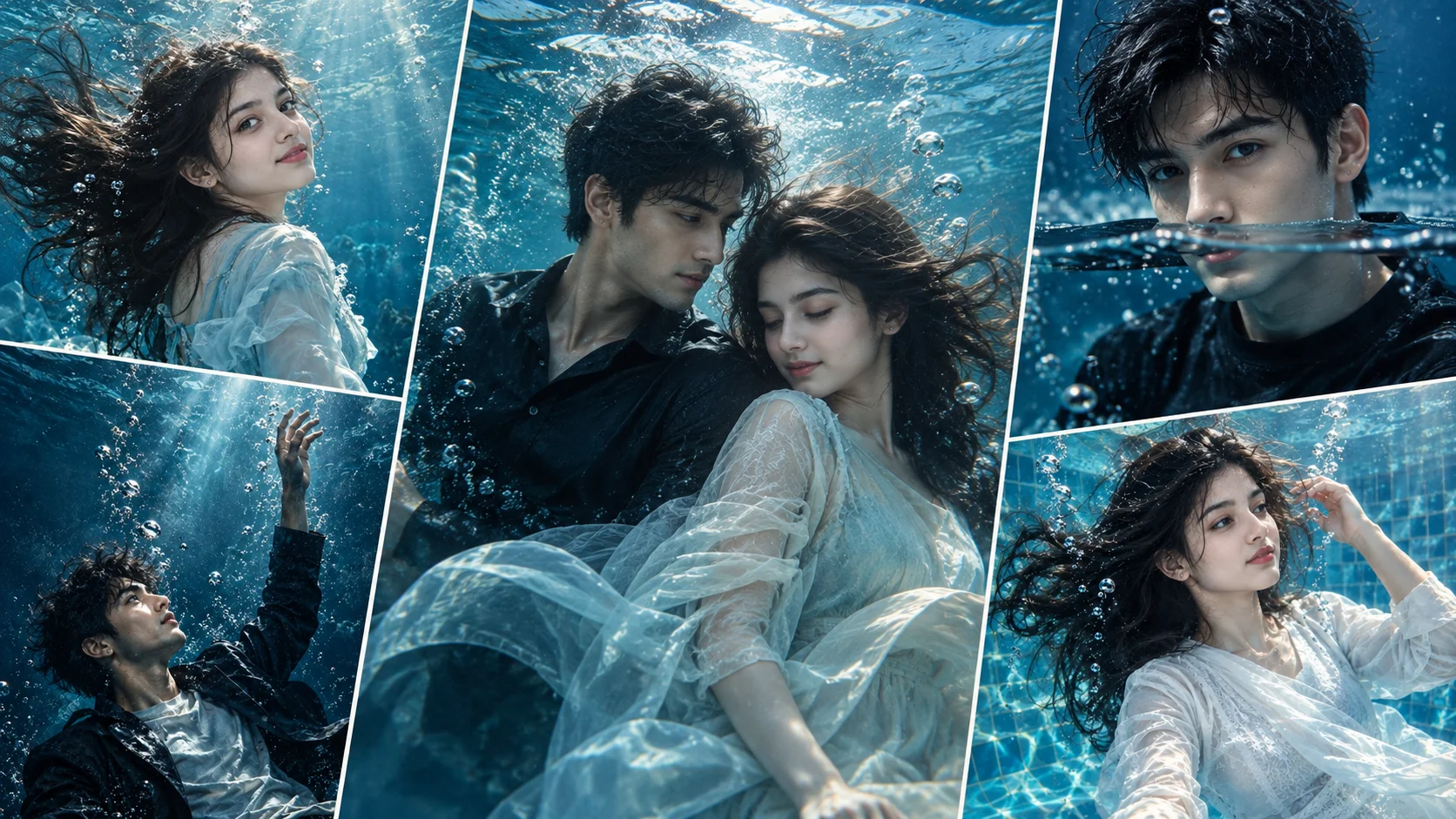
A cinematic underwater photo editing prompt is used to turn a normal portrait into a dramatic underwater-style image. This look usually includes deep blue water, floating hair, bubbles, soft sunlight rays, wet fabric, realistic skin texture and a dreamy cinematic mood.
This style works well for Instagram posts, profile pictures, wallpapers, music-cover style edits and creative portrait images. The important part is to keep the result realistic. A good underwater prompt should describe the body pose, face angle, expression, water movement, lighting, outfit and background depth.
Below are copy-ready underwater AI prompts for boys and girls. You can use them in ChatGPT image tools, Gemini or any AI image editor that supports reference photo editing.
1. Deep Blue Underwater Portrait Prompt for Boys
Best for: Cinematic boy portrait, dramatic blue wallpaper, profile photo
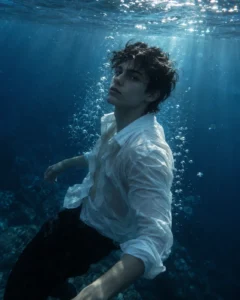
Prompt:
Create a realistic cinematic underwater portrait using the uploaded boy’s face as reference. Show him floating slightly beneath deep blue ocean water with soft sunlight rays coming from above. He is wearing a wet white shirt over dark trousers, with the fabric moving naturally in the water. His body should be slightly angled to the side, one arm relaxed and the other slightly bent. Keep his face at a three-quarter angle, looking calmly toward the camera with a serious peaceful expression. Add realistic bubbles, soft water particles, natural skin texture, wet hair detail, blue cinematic color grading, subtle light caustics on the face and realistic underwater depth. Avoid cartoon style, distorted face, extra limbs, unrealistic fabric, text, logo and watermark.
Recommended Aspect Ratio: 4:5 or 9:16
Customizable Elements: Shirt color, water depth, bubble amount, facial expression
Test Status: Not yet model-tested
2. Floating Hair Underwater Prompt for Girls
Best for: Dreamy girl portrait, wallpaper edit, cinematic ocean look
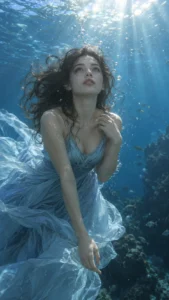
Prompt:
Create a realistic dreamy underwater portrait using the uploaded girl’s face as reference. Show her floating gently beneath clear blue water with her hair spreading naturally around her face. She is wearing a soft light-blue dress with flowing fabric that moves gently underwater. Her pose should be graceful, with one hand near her shoulder and the other hand relaxed downward. Keep her face front-facing but slightly tilted upward, looking toward the soft light above with a calm dreamy expression. Add realistic bubbles, sunlight rays, gentle water distortion, natural skin texture, soft blue shadows, floating fabric details and cinematic ocean depth. Avoid over-glamour, distorted hands, fake hair movement, face changes, text and watermark.
Recommended Aspect Ratio: 9:16
Customizable Elements: Dress color, hair movement, water clarity, light direction
Test Status: Not yet model-tested
3. Half-Submerged Cinematic Prompt for Boys
Best for: Realistic water portrait, intense mood, Instagram DP
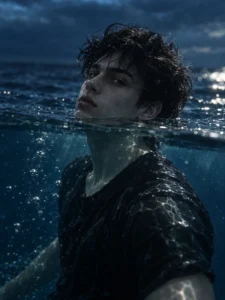
Prompt:
Create a realistic half-submerged cinematic portrait using the uploaded boy’s face as reference. Show him partly underwater with the waterline crossing near the lower face and shoulders, while the upper part of the image shows a dark blue water surface. He is wearing a wet black t-shirt, with water drops and realistic fabric texture. His pose should be steady and natural, with shoulders slightly turned and head facing the camera. Keep his expression focused and intense, with clear eyes and realistic wet skin. Add waterline distortion, floating bubbles near the surface, soft reflected light, deep blue tones, realistic shadows and professional underwater photography style. Avoid broken face reflection, duplicated eyes, extra body parts, heavy blur, text and watermark.
Recommended Aspect Ratio: 3:4
Customizable Elements: Shirt color, waterline position, expression, light contrast
Test Status: Not yet model-tested
4. Ocean Princess Underwater Prompt for Girls
Best for: Soft fantasy-style portrait, elegant wallpaper, dreamy creative edit
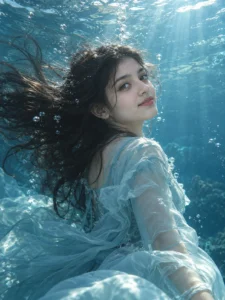
Prompt:
Create a realistic cinematic underwater portrait using the uploaded girl’s face as reference. Show her floating in a calm ocean scene with soft turquoise water and gentle sunlight rays. She is wearing an elegant pastel dress with modest flowing fabric, moving naturally underwater. Her pose should be slow and graceful, with her body slightly turned away and her head turned back toward the camera. Keep her face at a three-quarter angle with a soft peaceful smile. Add small bubbles around the hair, realistic fabric folds, natural skin texture, subtle water particles, soft highlights and a dreamy but photorealistic underwater atmosphere. Avoid cartoon mermaid style, exaggerated fantasy elements, distorted body, extra hands, text and watermark.
Recommended Aspect Ratio: 4:5 or 9:16
Customizable Elements: Dress color, water tone, bubble level, expression
Test Status: Not yet model-tested
5. Dark Cinematic Underwater Prompt for Boys
Best for: Moody portrait, dramatic edit, music-cover style image
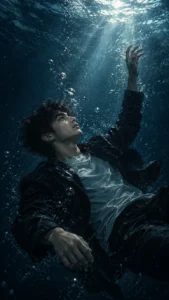
Prompt:
Create a realistic dark cinematic underwater portrait using the uploaded boy’s face as reference. Show him sinking slowly in deep blue water with a dramatic beam of light coming from above. He is wearing a dark jacket over a plain t-shirt, with the jacket floating slightly in the water. His pose should feel cinematic, with one hand reaching slightly upward and the body angled diagonally. Keep his face in side profile, looking upward toward the light with a thoughtful serious expression. Add realistic bubbles, dark ocean background, subtle particles, wet hair, natural skin texture, blue-black color grading and soft film grain. Avoid horror effects, distorted face, extra fingers, unrealistic floating clothes, text and watermark.
Recommended Aspect Ratio: 9:16
Customizable Elements: Jacket style, light beam strength, pose, background darkness
Test Status: Not yet model-tested
6. Pool Underwater Fashion Prompt for Girls
Best for: Clean fashion edit, pool shoot look, stylish social media photo
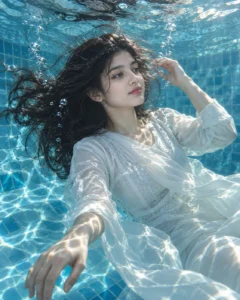
Prompt:
Create a realistic pool-style underwater fashion portrait using the uploaded girl’s face as reference. Show her beneath clear swimming pool water with tiled blue reflections and soft sunlight patterns on the surface. She is wearing a modest white outfit with natural wet fabric texture. Her pose should be relaxed and editorial, with one hand gently floating near her hair and the other hand extended slightly downward. Keep her face slightly turned to the side, looking away from the camera with a calm confident expression. Add realistic water caustics, clear bubbles, natural skin texture, soft blue highlights, realistic hair movement and clean fashion photography quality. Avoid unnatural body shape, distorted hands, excessive skin smoothing, text and watermark.
Recommended Aspect Ratio: 4:5
Customizable Elements: Outfit color, pool tile color, pose, sunlight pattern
Test Status: Not yet model-tested
7. Underwater Filter Prompt for Any Portrait
Best for: Applying underwater mood without changing the full identity or pose too much
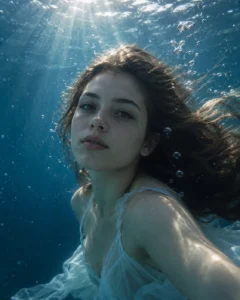
Prompt:
Apply a cinematic underwater photo editing style to the uploaded portrait while keeping the subject natural. Add deep blue water tones, soft sunlight rays, realistic bubbles, subtle water distortion, gentle floating hair or clothing movement where appropriate, natural skin texture and soft underwater shadows. Keep the face clearly visible and preserve natural recognizable facial features where possible. Make the final image look like a realistic underwater portrait, not a cartoon or fantasy render. Avoid extra limbs, distorted eyes, fake bubbles, unreadable face, text, logo and watermark.
Recommended Aspect Ratio: Use original photo ratio
Customizable Elements: Blue tone, bubble amount, water distortion, light intensity
Test Status: Not yet model-tested
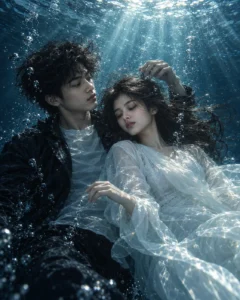
8. Couple Underwater Portrait Prompt
Best for: Artistic couple image, romantic but subtle underwater edit
Prompt:
Create a realistic cinematic underwater couple portrait using the uploaded couple photo as reference. Show both people floating gently beneath clear blue water with soft sunlight rays above them. Keep the pose natural and respectful, with both subjects close together but not overly dramatic. The boy should wear a dark wet shirt, looking slightly toward the girl with a calm expression. The girl should wear a soft pastel outfit with floating hair, looking slightly downward with a peaceful expression. Add realistic bubbles, gentle water movement, natural skin texture, subtle fabric motion, blue cinematic color grading and soft ocean depth. Avoid exaggerated romance, distorted faces, extra hands, unrealistic anatomy, text and watermark.
Recommended Aspect Ratio: 4:5 or 9:16
Customizable Elements: Outfit colors, couple distance, water clarity, lighting mood
Test Status: Not yet model-tested
How to Use These Underwater Prompts
- Upload a clear portrait photo.
- Copy one underwater prompt from this article.
- Paste it into ChatGPT, Gemini or another AI image editor.
- If the face changes too much, add: “keep natural recognizable facial features where possible.”
- If the water looks fake, add: “use realistic underwater optics, bubbles, refraction and soft light caustics.”
- Generate again with small changes instead of replacing the full prompt.
Customization Tips
You can adjust the underwater style based on the result you want:
- Use “deep blue ocean” for dramatic portraits.
- Use “clear swimming pool water” for clean fashion edits.
- Use “soft turquoise water” for dreamy wallpaper looks.
- Use “light rays from above” for cinematic depth.
- Use “small bubbles, not too many” for a cleaner face.
- Use 9:16 for wallpapers and reels covers.
- Use 4:5 for Instagram feed posts.
Common Problems and Fixes
Problem: Face becomes distorted underwater.
Fix: Add “keep the face clear, realistic and naturally recognizable.”
Problem: Bubbles cover the face.
Fix: Add “place most bubbles around the shoulders and background, not over the eyes.”
Problem: Hair looks fake.
Fix: Add “realistic wet hair movement, not exaggerated floating hair.”
Problem: Clothes look unrealistic.
Fix: Add “wet fabric should move naturally with water and remain modest.”
Problem: Image looks like fantasy art.
Fix: Add “photorealistic underwater photography, natural skin texture and real water physics.”
Frequently Asked Questions
What is a cinematic underwater photo editing prompt?
It is a text instruction that tells an AI image tool to create a portrait that looks like it was photographed underwater with blue tones, bubbles, floating hair and cinematic light rays.
Can boys and girls both use these prompts?
Yes. These prompts include separate versions for boys and girls, and you can change the gender wording depending on your uploaded photo.
Which aspect ratio is best for underwater portraits?
Use 9:16 for wallpapers and reels covers, 4:5 for Instagram posts, and 3:4 for close-up portraits.
Can I use these prompts in ChatGPT?
Yes, if your ChatGPT image tool supports image editing or image generation. You can also use similar prompts in Gemini or other AI image tools.
Will the prompt keep the same face?
It can guide the AI to keep natural recognizable facial features where possible, but no AI tool can guarantee perfect face accuracy every time.
How do I make the underwater edit look realistic?
Use details like realistic bubbles, water refraction, soft light caustics, wet hair, natural skin texture and believable fabric movement.
Final Words
Cinematic underwater prompts work best when they control the whole scene: water color, bubbles, light rays, pose, facial expression, clothing movement and camera framing. Start with one prompt, then adjust the water depth, bubble level and lighting until the final image looks realistic and clean.
