


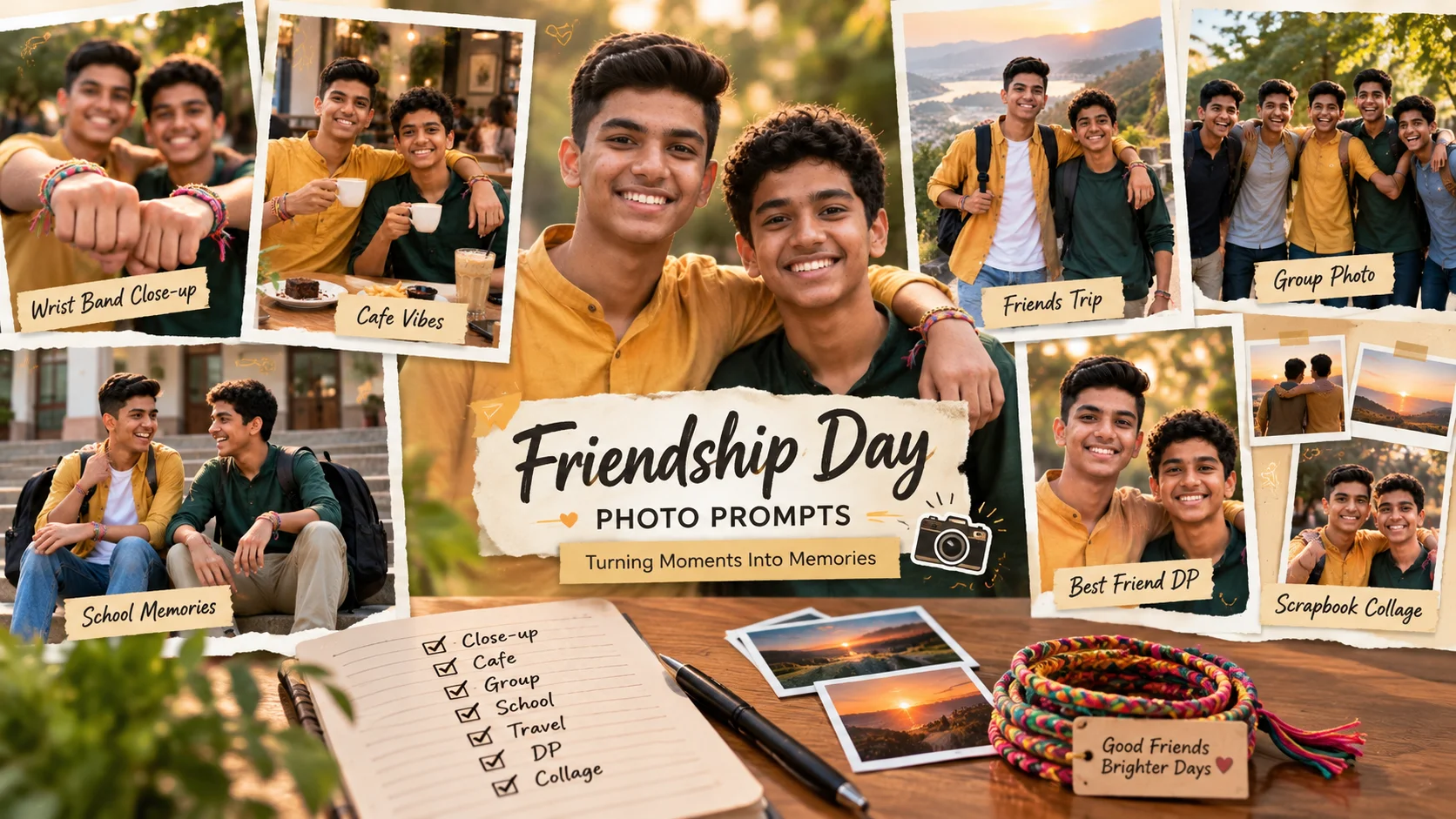
Friendship Day photos should feel warm, real and personal. A good AI photo editing prompt can turn a normal friend photo into a cinematic memory, a scrapbook-style collage, a friendship band portrait, a cafe moment or a group celebration post.
The mistake many people make is using prompts that look too romantic or too artificial. Friendship Day edits should keep the mood friendly, natural and joyful. The prompt should clearly mention best friends, group bonding, natural laughter, friendship bands, casual poses and social media-ready composition.
Below are original copy-ready prompts for ChatGPT, Gemini and other AI photo editing tools.
All prompts are not yet model-tested, so use them as starting drafts and adjust details according to your uploaded photo.
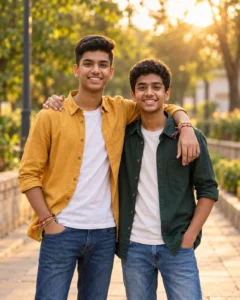
1: Best Friends Friendship Day Portrait
Best for: Two close friends
Prompt:
Create a realistic Friendship Day portrait using the uploaded photo as reference. Show two best friends standing side by side, smiling naturally, with one friend’s arm casually around the other’s shoulder. Add colorful friendship bands on their wrists, warm golden light, soft background blur, casual stylish outfits, realistic skin texture, clean hands and a joyful but natural friendship mood. The image should look like a real candid photo, not a romantic couple edit. No text, no watermark.
Aspect Ratio: 4:5
Customizable Elements: Outfit, background, friendship band colors, pose
Test Status: Not yet model-tested
2: Friendship Band Close-Up Prompt
Best for: Friendship Day wrist-band photo

Prompt:
Transform the uploaded photo into a Friendship Day close-up portrait. Focus on friends showing their wrists with colorful friendship bands while smiling in the background. Keep the hands realistic, the bands colorful but natural, and the faces softly visible with warm light and shallow depth of field. Add soft bokeh, natural skin texture, candid laughter and a clean Instagram-style composition. No text, no logo, no watermark.
Aspect Ratio: 4:5
Customizable Elements: Band colors, hand pose, background, lighting
Test Status: Not yet model-tested
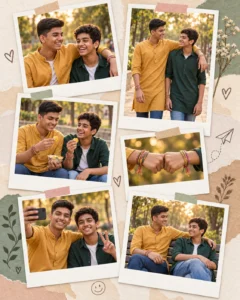
3: Friendship Day Scrapbook Collage Prompt
Best for: Instagram carousel or WhatsApp status
Prompt:
Create a premium Friendship Day scrapbook collage using the uploaded friend photos. Show multiple polaroid-style frames with candid friendship moments: laughing together, walking outdoors, sharing snacks, taking selfies, sitting on a park bench and showing friendship bands. Use warm pastel colors, paper texture, soft shadows, realistic faces, natural expressions and a clean memory-board layout. Keep the design elegant and not overcrowded. No random text, no watermark.
Aspect Ratio: 4:5
Customizable Elements: Number of photo frames, background paper color, memory scenes
Test Status: Not yet model-tested
4: Cafe Friendship Day Prompt
Best for: Bestie cafe-style edit

Prompt:
Create a realistic cafe Friendship Day photo using the uploaded image. Show two or three friends sitting together at a cozy cafe table, laughing naturally over coffee cups and snacks. Add warm indoor lighting, soft background blur, casual outfits, realistic skin texture, natural hands, friendly body language and a candid lifestyle photography feel. The image should feel like a real best-friend memory. No text, no watermark.
Aspect Ratio: 4:5
Customizable Elements: Cafe setting, food items, outfit style, group size
Test Status: Not yet model-tested
5: Group Friends Golden Hour Prompt
Best for: Group friendship photo

Prompt:
Create a cinematic Friendship Day group photo from the uploaded image. Show a group of friends standing outdoors during golden hour, laughing together, wearing casual stylish outfits, with friendship bands visible on some wrists. Add warm sunlight, soft lens blur, natural skin detail, clean hands, realistic body proportions and a joyful group energy. Keep the result natural and social-media ready. No text, no watermark.
Aspect Ratio: 16:9 or 4:5
Customizable Elements: Group size, outdoor place, outfit colors, sunlight
Test Status: Not yet model-tested
6: School Friends Memory Prompt
Best for: Nostalgic Friendship Day post

Prompt:
Turn the uploaded friend photo into a nostalgic Friendship Day memory. Show friends sitting together on school steps or near a classroom corridor, laughing naturally, wearing casual college-style outfits, with friendship bands and backpacks. Add soft daylight, gentle film grain, warm color grading, realistic facial details and a memory-like candid photo mood. Keep it friendly, innocent and natural. No text, no watermark.
Aspect Ratio: 4:5
Customizable Elements: School/college setting, backpacks, outfit style, film grain
Test Status: Not yet model-tested
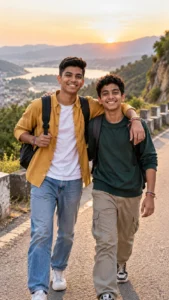
7: Travel Friends Friendship Day Prompt
Best for: Friends trip photo
Prompt:
Create a Friendship Day travel photo using the uploaded friends image. Show the friends walking together on a scenic road or hill viewpoint, carrying backpacks, laughing and posing naturally. Add soft sunlight, realistic travel outfits, blurred scenic background, friendship bands, natural skin texture and cinematic outdoor photography style. Keep the image energetic but realistic. No text, no watermark.
Aspect Ratio: 9:16
Customizable Elements: Hill, beach, road, city trip, backpack style
Test Status: Not yet model-tested
8: Best Friend DP Prompt
Best for: WhatsApp or Instagram profile photo
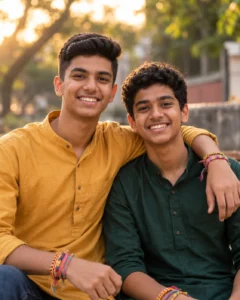
Prompt:
Create a clean Friendship Day DP-style photo using the uploaded image. Show two best friends close together, smiling naturally, with a soft blurred background, warm lighting, clear faces, casual outfits and friendship bands visible. Keep the crop balanced for a profile picture, with both faces sharp and natural. The mood should be friendly, cheerful and simple. No text, no watermark, no romantic pose.
Aspect Ratio: 1:1
Customizable Elements: Background, smile, outfit, crop style
Test Status: Not yet model-tested
How to Use These Prompts
Upload a clear photo of your friend or group. Then paste the prompt into ChatGPT, Gemini or any image editing tool that supports uploaded images.
For group photos, use a clear image where every face is visible. If the AI changes faces too much, add: “keep every friend natural and recognizable, without changing facial structure.” Do not expect perfect face preservation from every tool.
Common Mistakes to Avoid
Do not make Friendship Day edits look like romantic couple photos.
Do not add too many stickers or unreadable text.
Do not ask for perfect hands because AI can still make mistakes.
Do not use a dark or blurry source image if you want realistic faces.
Do not claim the image is real if it is AI-edited.
Frequently Asked Questions
What are Friendship Day AI photo editing prompts?
They are text instructions that help AI tools create Friendship Day photos, best-friend portraits, group memories, friendship band edits and social media posts.
Can I use these prompts for group friends?
Yes. Use the group friends or scrapbook collage prompt for three or more friends.
Which aspect ratio is best?
Use 4:5 for Instagram posts, 9:16 for stories and reels, and 1:1 for profile photos.
Can I add Friendship Day text to the image?
You can, but AI often creates broken text. It is better to add text later in Canva or another editor.
Are these prompts tested?
No. These are original draft prompts and are not yet model-tested.
