


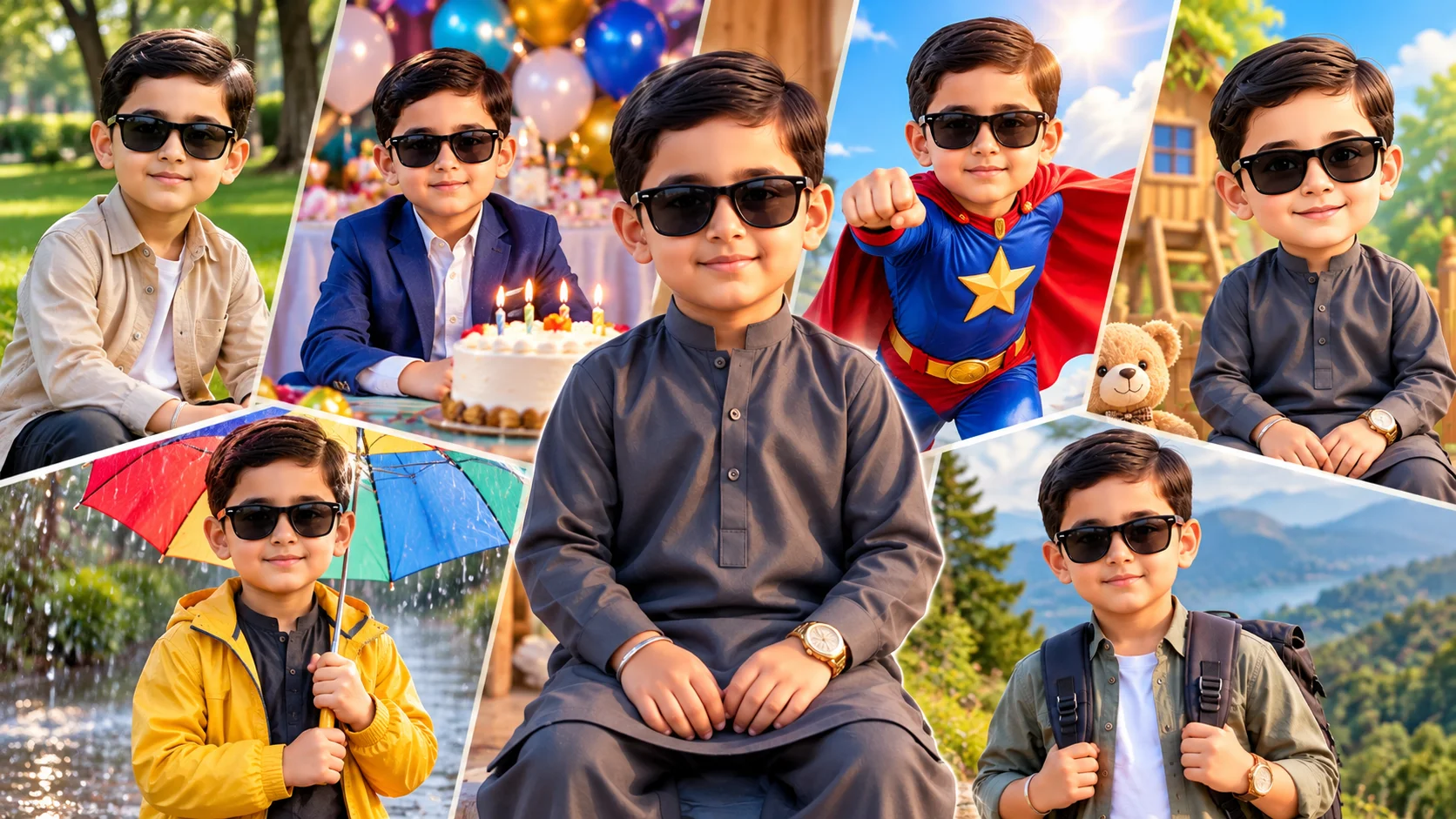
Stylish kids AI photo editing prompts help turn a normal child photo into a colorful, polished and family-friendly portrait. These prompts can create birthday looks, outdoor portraits, cartoon-style edits, school-safe casual photos, superhero themes and cute social media images.
When editing children’s photos, the prompt must stay safe and age-appropriate. Avoid mature fashion styling, adult poses, heavy makeup, romantic themes, private school details, name tags, addresses or anything that reveals personal information. The goal should be a clean, playful and respectful portrait.
These prompts can be used in AI image editing tools such as ChatGPT image editing, Gemini or other tools that support photo upload and prompt-based editing.
Best Stylish Kids AI Photo Editing Prompts
1. Stylish Casual Kids Portrait
Best for: Clean everyday portrait
Prompt:
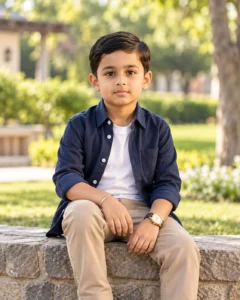
Create a stylish, family-friendly portrait of the boy from the uploaded photo. Keep his natural smile, hairstyle and childlike appearance clear and age-appropriate. Add a neat casual outfit, soft daylight, clean outdoor background, realistic skin texture, bright eyes and gentle color grading. The image should look like a professional kids portrait taken in a park. Avoid mature styling, adult pose, heavy filters, face distortion, text, logo and watermark.
Recommended aspect ratio: 4:5
Customizable elements: Outfit color, background, smile level, lighting
Test status: Not yet model-tested
2. Birthday Kids Photo Prompt
Best for: Birthday post or family album

Prompt:
Edit the uploaded photo into a cute birthday portrait of the boy. Add a colorful birthday background with balloons, soft party lights, a small cake table in the background and a happy natural expression. Keep the child’s face clear, realistic and age-appropriate. Use bright cheerful colors, soft shadows and clean family-photo style. Avoid fake name text, distorted hands, messy decorations, mature styling, logos and watermark.
Recommended aspect ratio: 4:5 or 1:1
Customizable elements: Balloon colors, cake style, outfit, background
Test status: Not yet model-tested
3. Superhero Kids Portrait
Best for: Fun creative edit

Prompt:
Create a child-safe superhero-style portrait of the boy from the reference photo. Add a colorful cape, playful superhero outfit, bright sky background, soft action pose and cheerful confident expression. Keep the design cute, safe and age-appropriate, like a children’s comic hero. Use realistic face detail with light cartoon influence in the outfit and background. Avoid violence, weapons, mature costume, dark scary mood, text, logo and watermark.
Recommended aspect ratio: 4:5
Customizable elements: Cape color, background, outfit color, pose
Test status: Not yet model-tested
4. Cartoon Kids Photo Style
Best for: Cute social media image

Prompt:
Transform the uploaded photo into a cute cartoon-style kids portrait. Keep the boy’s main hairstyle, smile and outfit color recognizable while making the image bright, playful and family-friendly. Add a soft illustrated background, clean outlines, warm colors, expressive eyes and a cheerful mood. The final image should look like a polished children’s storybook portrait. Avoid scary style, exaggerated face changes, mature details, text and watermark.
Recommended aspect ratio: 1:1 or 4:5
Customizable elements: Cartoon style, background, outfit color, eye detail
Test status: Not yet model-tested
5. Outdoor Park Kids Portrait
Best for: Natural lifestyle photo
Prompt:
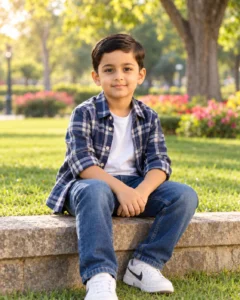
Create a realistic outdoor park portrait of the boy from the uploaded photo. Place him in a clean green park during soft daylight, wearing a neat casual outfit, with natural smile, bright eyes, realistic skin texture and gentle background blur. Add warm sunlight, colorful trees and a cheerful family-friendly mood. Keep the face natural and the pose simple. Avoid over-editing, fake background, distorted body shape, text, logo and watermark.
Recommended aspect ratio: 4:5
Customizable elements: Park style, outfit, sunlight, background blur
Test status: Not yet model-tested
6. School-Safe Smart Look Prompt
Best for: Neat formal child portrait
Prompt:
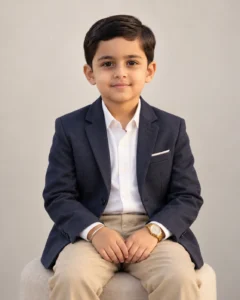
Create a smart and age-appropriate portrait of the boy wearing a neat casual shirt or simple blazer-style outfit. Use a clean plain background, soft studio lighting, natural smile, realistic skin texture and sharp facial detail. The image should look like a respectful family portrait, not an adult fashion shoot. Do not add school names, badges, ID cards, private details, text, logo or watermark.
Recommended aspect ratio: 4:5
Customizable elements: Shirt color, background color, smile, light softness
Test status: Not yet model-tested
7. Cute Rainy Day Kids Portrait
Best for: Monsoon-style child photo
Prompt:
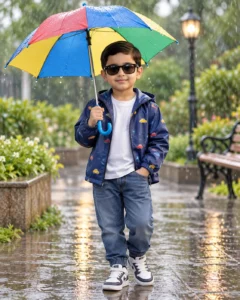
Create a cute rainy day portrait of the boy from the reference photo. Show him standing in a safe outdoor area with a colorful umbrella, soft light rain, wet ground reflections and cheerful expression. Keep the outfit child-friendly, comfortable and age-appropriate. Use realistic rain, natural skin texture and clean background blur. Avoid unsafe road setting, dark scary mood, distorted hands, text and watermark.
Recommended aspect ratio: 4:5
Customizable elements: Umbrella color, outfit, rain level, background
Test status: Not yet model-tested
8. Mini Explorer Adventure Prompt
Best for: Creative outdoor edit
Prompt:
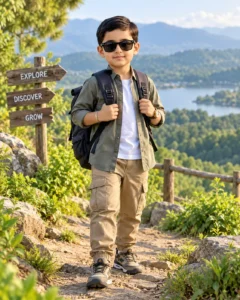
Turn the uploaded photo into a child-safe mini explorer portrait. Show the boy in a playful outdoor adventure setting with a small backpack, comfortable outfit, green hills or forest path in the background and a happy curious expression. Keep the scene bright, safe and family-friendly. Use realistic lighting, natural face detail and soft cinematic color grading. Avoid dangerous locations, weapons, scary animals, mature styling, text and watermark.
Recommended aspect ratio: 4:5 or 9:16
Customizable elements: Backpack color, forest, hills, outfit style
Test status: Not yet model-tested
How to Use These Prompts
- Upload a clear, well-lit child photo.
- Copy one prompt from above.
- Paste it into your AI image editing tool.
- Keep the prompt child-safe and family-friendly.
- Remove any school name, badge, location sign or personal detail from the final result.
- Check the face, hands, background and clothing before publishing.
Child-Safe Editing Tips
Use simple poses, clean outfits and cheerful scenes.
Do not add adult fashion styling, romantic themes, heavy makeup or mature expressions.
Avoid school names, ID cards, house numbers, location boards or full private details.
Use family-friendly backgrounds such as parks, birthday setups, cartoon scenes, safe outdoor areas and studio portraits.
Common Problems and Fixes
If the child’s face changes too much, add: “keep the child’s face naturally close to the uploaded photo.”
If the output looks too mature, add: “make the styling child-safe, age-appropriate and family-friendly.”
If the background includes private details, add: “no readable text, no school name, no address, no ID badge.”
If hands look distorted, use closer framing or add: “hands relaxed and natural, no complex finger pose.”
If the image looks fake, add: “realistic skin texture, natural lighting, no plastic skin.”
Frequently Asked Questions
What are stylish kids photo editing prompts?
They are copy-paste AI instructions that help create safe, colorful and stylish child portraits from uploaded photos.
Can I use these prompts in ChatGPT?
Yes, if your ChatGPT account supports image upload and image generation or editing.
Are these prompts safe for children’s photos?
They are written to stay family-friendly, but you should still check every output before publishing and remove private details.
Which prompt is best for a birthday photo?
The birthday kids photo prompt is best because it adds balloons, party lights and a cheerful family-photo mood.
Can I use these prompts for girls too?
The prompt wording can be changed from “boy” to “girl,” but this article is mapped to Boys AI Prompts because PromptSeen currently has no Kids category.
Are these prompts tested?
These prompts are not yet model-tested. Results can vary depending on the uploaded photo, AI tool, model version and editing settings.
Final Words
Stylish kids AI photo prompts should stay playful, clean and age-appropriate. Start with the casual portrait or birthday prompt for safe results, and avoid any edit that makes a child look older than they are.
For more similar ideas, explore the Kids AI Prompts category on Prompt Seen.
