


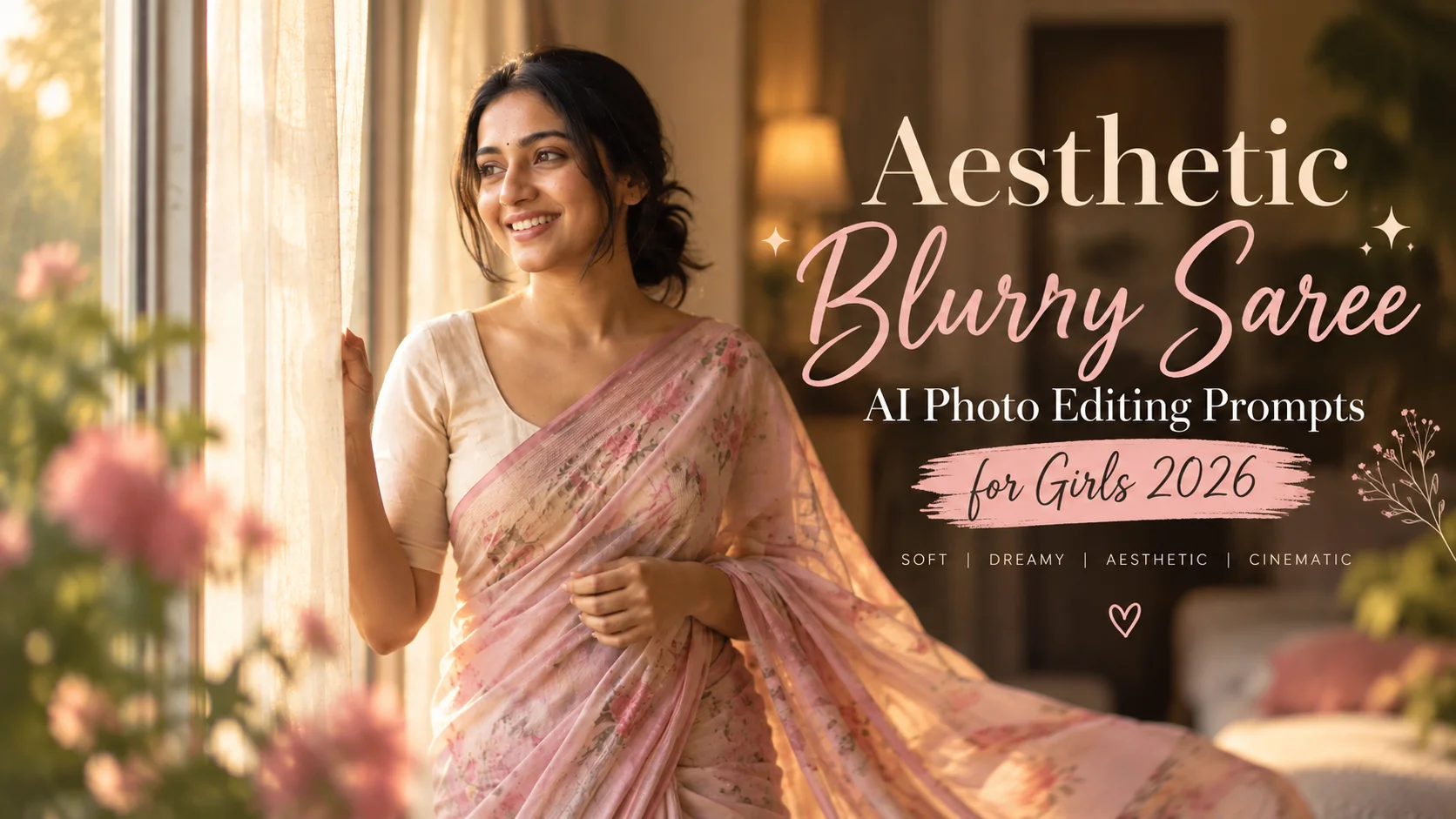
An aesthetic blurry saree photo prompt helps turn a normal girl portrait into a soft, dreamy and cinematic saree photo. This style usually uses a saree, soft background blur, natural skin texture, warm light, motion blur, DSLR-style bokeh and a calm elegant pose.
The key is balance. If the prompt only says “girl in saree,” the output may look plain. If the prompt adds too many effects, the photo may look fake. A good blurry saree prompt should mention the saree style, lighting, background, camera feel, face clarity and blur direction.
Below are original copy-ready prompts for ChatGPT, Gemini and other AI image editing tools.
All prompts are not yet model-tested, so use them as starting drafts and adjust according to your image.
1: Soft Blurry Saree Portrait
Best for: Simple Instagram-style saree photo

Prompt:
Create a realistic aesthetic blurry saree portrait using the uploaded photo as the main reference. Show the girl wearing a soft pastel saree with a simple blouse, standing near a bright window with warm natural light. Keep the face clear and natural while the background is softly blurred. Add gentle motion blur to the saree fabric, realistic skin texture, detailed eyes, natural hair, shallow depth of field, warm color grading and elegant DSLR-style photography. No text, no watermark, no plastic skin.
Aspect Ratio: 4:5
Customizable Elements: Saree color, window light, pose, background
Test Status: Not yet model-tested
2: Rainy Blurry Saree Prompt
Best for: Moody cinematic saree edit
Prompt:
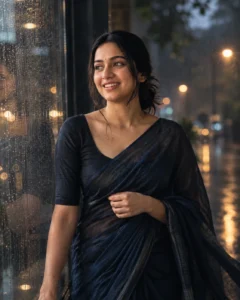
Transform the uploaded girl portrait into a cinematic rainy saree photo. Show her wearing a deep blue or black saree, standing near a rain-covered window or wet street background. Keep her face sharp and natural, with soft raindrops and background lights blurred behind her. Add gentle motion blur, realistic saree fabric texture, soft wet-hair detail, emotional expression, cinematic shadows and cool color grading. The final image should look like a real DSLR portrait, not an AI poster. No text or watermark.
Aspect Ratio: 4:5 or 9:16
Customizable Elements: Rain level, saree color, background lights, mood
Test Status: Not yet model-tested
3: Golden Hour Blurry Saree Prompt
Best for: Warm sunset aesthetic

Prompt:
Create a golden hour aesthetic saree portrait from the uploaded image. Show the girl wearing a light cream or peach saree, standing outdoors during sunset. Keep her face natural and softly lit, with warm sunlight on one side, blurred trees or flowers in the background, gentle saree movement, realistic fabric folds, natural skin texture and soft cinematic bokeh. Make the photo elegant, calm and realistic. No text, no watermark.
Aspect Ratio: 4:5
Customizable Elements: Saree shade, sunset intensity, outdoor background
Test Status: Not yet model-tested
4: Vintage Blurry Saree Prompt
Best for: Retro Indian photo style
Prompt:
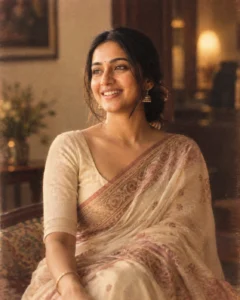
Turn the uploaded photo into a vintage-style blurry saree portrait. Show the girl wearing a traditional saree with subtle jewelry, soft old-film color tones, slightly grainy texture, warm indoor light and a blurred classic background. Keep the face realistic and recognizable, with natural expression, detailed eyes, soft hair, fabric texture and gentle motion blur. The image should feel like an old elegant Indian portrait with modern clarity. No text, no watermark.
Aspect Ratio: 4:5
Customizable Elements: Saree type, jewelry, vintage tone, grain level
Test Status: Not yet model-tested
5: Black Saree Blurry Photo Prompt
Best for: Stylish dramatic look
Prompt:
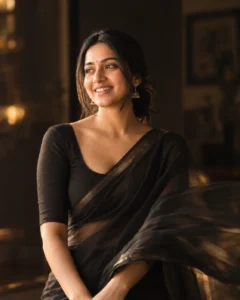
Create a dramatic aesthetic blurry photo using the uploaded image. Show the girl wearing a black saree with a simple elegant blouse, standing in soft indoor light with a dark blurred background. Keep the face clear, eyes detailed and skin natural. Add soft motion blur to the saree pallu, subtle highlights on the fabric, cinematic contrast, shallow depth of field and premium portrait photography style. Avoid heavy makeup, fake skin smoothing or unrealistic effects. No text, no watermark.
Aspect Ratio: 4:5
Customizable Elements: Saree fabric, lighting, background darkness, pose
Test Status: Not yet model-tested
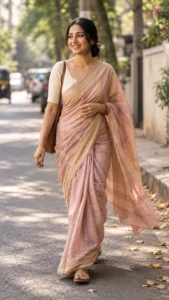
6: Street Style Blurry Saree Prompt
Best for: Candid urban saree edit
Prompt:
Create a candid street-style blurry saree portrait from the uploaded image. Show the girl walking slowly on a quiet street while wearing a stylish saree, with the background softly blurred and slight motion blur around the saree fabric. Keep the face natural and focused, with realistic skin texture, soft daylight, clean hair detail, natural hand position and cinematic street photography color grading. Make it look like a real candid photo. No text or watermark.
Aspect Ratio: 9:16
Customizable Elements: Street background, saree color, walking pose, daylight
Test Status: Not yet model-tested
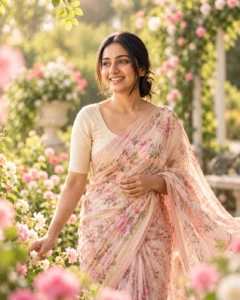
7: Flower Garden Blurry Saree Prompt
Best for: Soft feminine aesthetic
Prompt:
Use the uploaded image to create a dreamy flower garden saree portrait. Show the girl wearing a pastel saree in a garden with flowers blurred in the foreground and background. Keep her face sharp, natural and softly smiling. Add gentle wind in the saree, realistic fabric texture, soft sunlight, creamy bokeh, natural skin tone and elegant portrait composition. The result should feel graceful and realistic, not over-edited. No text, no watermark.
Aspect Ratio: 4:5
Customizable Elements: Flower type, saree color, smile, sunlight
Test Status: Not yet model-tested
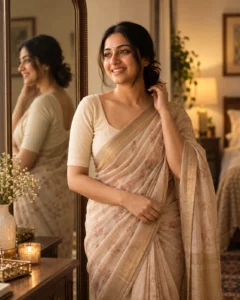
8: Mirror Blurry Saree Prompt
Best for: Creative indoor portrait
Prompt:
Create an aesthetic mirror saree portrait using the uploaded photo. Show the girl standing near a large mirror, wearing a simple elegant saree, with her reflection softly visible. Keep the main face clear and natural, while the mirror reflection and background are slightly blurred. Add warm room lighting, realistic fabric folds, soft skin texture, detailed eyes and a calm stylish mood. No text, no watermark, no distorted reflection.
Aspect Ratio: 4:5
Customizable Elements: Mirror size, room style, saree color, lighting
Test Status: Not yet model-tested
How to Use These Prompts
Upload a clear photo where the face is visible. Then paste one prompt into ChatGPT, Gemini or another AI image editor. For best results, use a portrait with good lighting and avoid very dark or low-quality photos.
If the saree looks unnatural, add: “keep saree drape realistic with natural fabric folds.”
If the face becomes too smooth, add: “natural skin texture, no beauty filter.”
If the image is too blurry, add: “keep the face sharp, blur only the background and fabric motion.”
Common Mistakes to Avoid
Do not ask for too much blur on the full image. The face should stay clear.
Do not use “100% same face” because AI tools cannot guarantee exact preservation.
Do not add unreadable text in the image.
Do not overload the prompt with too many colors, jewelry and background details.
Frequently Asked Questions
What is an aesthetic blurry saree prompt?
It is a photo editing prompt that creates a soft-focus saree portrait with blurred background, cinematic lighting and elegant styling.
Which saree color works best?
Pastel, black, cream, red and blue sarees work well because they create clear contrast in AI portraits.
Which aspect ratio should I use?
Use 4:5 for Instagram posts and 9:16 for reels, stories or status images.
Can I use this with Gemini?
Yes. You can paste these prompts into Gemini or any AI image tool that supports photo editing.
Why does my face change in AI output?
AI tools may alter facial details, especially if the uploaded photo is blurry or dark. Use a clear photo and ask for natural recognizable features.
Are these prompts tested?
No. These are original draft prompts and are not yet model-tested.
