


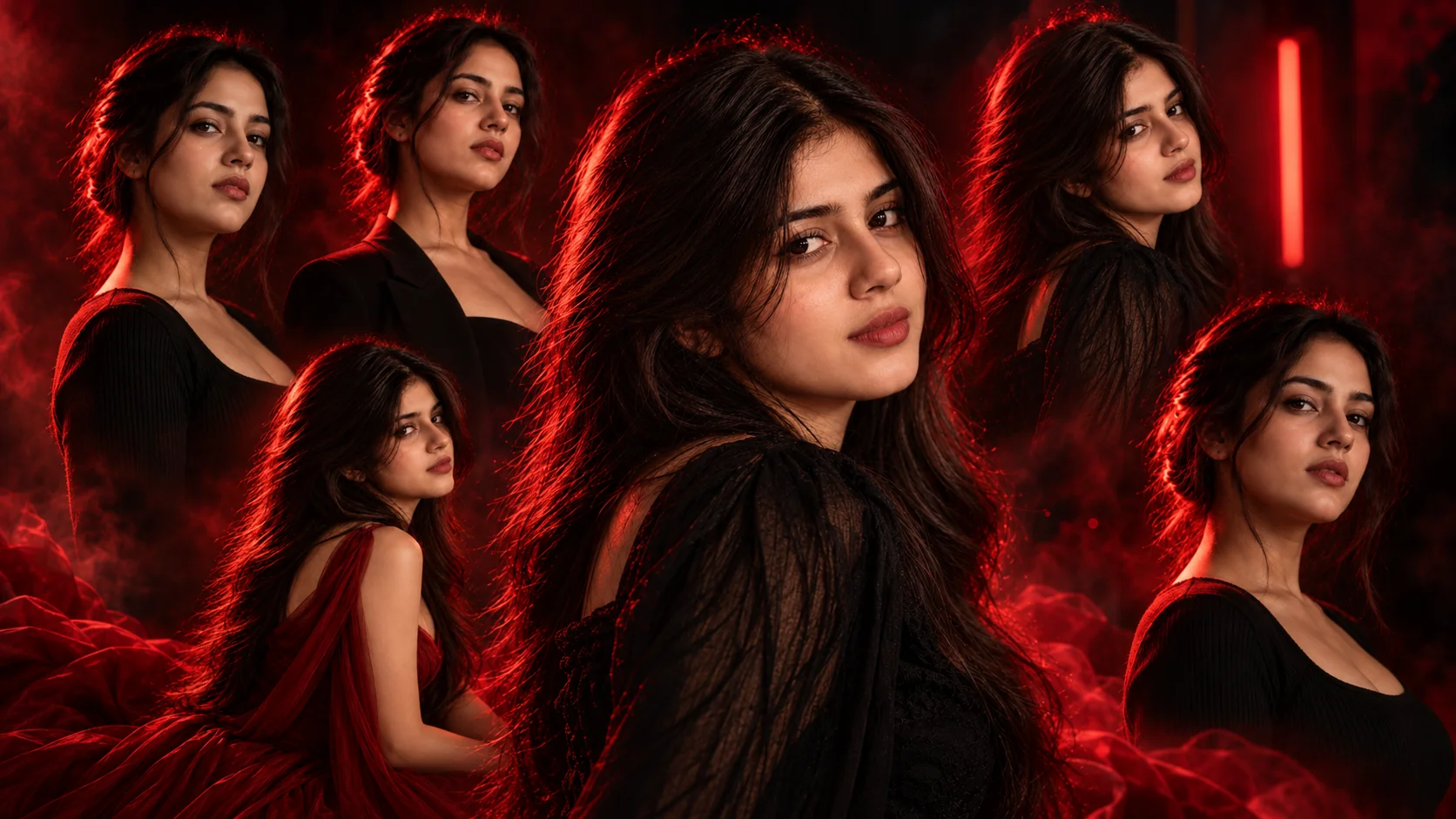
A cinematic red studio light photo prompt is used to create a bold, dramatic and professional-looking portrait from a normal photo. This style usually includes a dark studio background, red rim light, soft face lighting, strong contrast, realistic skin texture and a premium editorial mood.
This type of prompt works well for Instagram profile photos, fashion portraits, attitude edits, model-style pictures, reel covers and dark cinematic wallpapers. The red light gives the image a powerful mood, while the black background keeps the focus on the face, hair, outfit and pose.
For best results, upload a clear portrait or half-body photo. Avoid blurry photos, heavy filters or photos where the face is too small, because studio light edits need clean facial detail.
1. Classic Red Rim Light Portrait
Best for: Clean cinematic profile photo
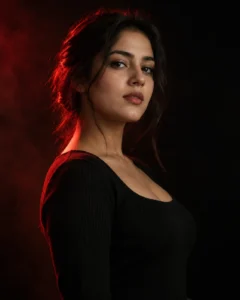
Prompt:
Create a realistic cinematic studio portrait of the girl from the reference photo standing against a deep black background. Add a strong red rim light from the left side outlining her hair, jawline and shoulder, with a soft neutral key light on her face. Keep the skin texture natural, eyes sharp, lips realistic and expression calm but confident. Use shallow depth of field, subtle studio haze, high contrast lighting and premium editorial color grading. Avoid plastic skin, face distortion, excessive red light on the entire face, extra fingers, text, logo or watermark.
Recommended aspect ratio: 4:5
Customizable elements: Light direction, outfit color, expression, background darkness
Test status: Not yet model-tested
2. Black Outfit Red Studio Portrait
Best for: Bold fashion-style portrait

Prompt:
Edit the uploaded photo into a cinematic red studio fashion portrait. Show the girl wearing an elegant black outfit in a dark studio, with dramatic red light glowing from behind and a soft front light keeping her face natural and clear. Add glossy hair highlights, realistic skin pores, subtle makeup, confident eye contact, clean shadows and a premium magazine-cover mood. Keep the pose graceful and realistic. Avoid over-smoothing, red color spilling unnaturally over the whole face, distorted hands, fake jewelry, text and watermark.
Recommended aspect ratio: 4:5
Customizable elements: Outfit type, makeup level, pose, red light strength
Test status: Not yet model-tested
3. Close-Up Red Studio Beauty Portrait
Best for: Profile picture or wallpaper
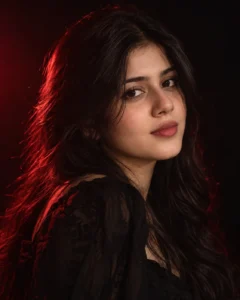
Prompt:
Create a close-up cinematic beauty portrait of the girl from the reference photo in a dark studio. Use a soft red rim light around her hair and cheek, gentle warm light on the face, sharp eyes, natural lips, realistic skin texture and a calm confident expression. Add subtle film grain, black background blur, smooth shadow falloff and premium portrait photography style. Keep the face natural and detailed without making it look like CGI. Avoid distorted eyes, fake skin, excessive beauty filter, text, logo and watermark.
Recommended aspect ratio: 1:1 or 4:5
Customizable elements: Face angle, eye contact, makeup, red light intensity
Test status: Not yet model-tested
4. Red Neon Studio Portrait
Best for: Modern Instagram edit
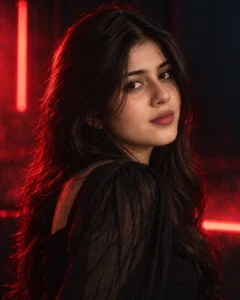
Prompt:
Transform the reference photo into a modern cinematic red neon studio portrait. Place the girl in a dark studio with soft red neon glow behind her, subtle haze, glossy highlights on hair, realistic face lighting, sharp facial details and stylish outfit. Use blue-black shadows with deep red accents, shallow depth of field and high-end fashion photography mood. The final image should look realistic, not cartoon or fantasy. Avoid oversaturated red color, blurry face, warped body, extra limbs, unreadable text and watermark.
Recommended aspect ratio: 4:5 or 9:16
Customizable elements: Neon glow, outfit, background haze, color contrast
Test status: Not yet model-tested
5. Red Background Editorial Portrait
Best for: Magazine-style photo edit

Prompt:
Create a cinematic editorial portrait of the girl in a studio with a deep red gradient background. Add soft professional lighting on the face, darker shadows near the edges, realistic skin texture, detailed eyes, elegant hairstyle, confident pose and premium fashion photography color grading. Keep the background smooth and clean with no objects or text. Make the image look like a high-end studio photoshoot. Avoid flat lighting, plastic skin, distorted fingers, harsh HDR, fake facial structure, logos and watermark.
Recommended aspect ratio: 4:5
Customizable elements: Background shade, outfit, hairstyle, pose
Test status: Not yet model-tested
6. Dramatic Side Profile Red Light Portrait
Best for: Moody cinematic look
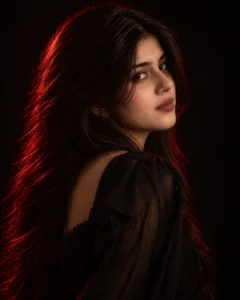
Prompt:
Edit the uploaded photo into a dramatic side-profile studio portrait. Show the girl turned slightly away from the camera with her face softly visible, red rim light outlining one side of her face, hair and shoulder, and a dark black background behind her. Add realistic skin texture, natural shadows, subtle makeup, elegant expression and cinematic contrast. Keep the lighting controlled so the face remains clear. Avoid hiding the face completely, over-dark shadows, distorted facial features, extra hands, text and watermark.
Recommended aspect ratio: 4:5
Customizable elements: Side angle, shadow strength, hair style, red rim position
Test status: Not yet model-tested
7. Luxury Red Dress Studio Portrait
Best for: Glamour/fashion portrait

Prompt:
Create a luxury cinematic studio portrait of the girl wearing an elegant red dress against a dark studio background. Use soft front lighting on the face, red rim light behind the shoulders, realistic dress texture, natural skin details, glossy hair, graceful pose and premium editorial fashion mood. Add subtle haze and balanced contrast while keeping the subject sharp and realistic. Avoid unrealistic body shape, plastic face, overexposed red tones, distorted hands, text, logo or watermark.
Recommended aspect ratio: 4:5
Customizable elements: Dress style, pose, makeup, background darkness
Test status: Not yet model-tested
8. Red Light Attitude Portrait
Best for: Strong, confident social media edit

Prompt:
Create a bold cinematic red studio portrait from the uploaded photo. Show the girl standing confidently in a dark studio with a black outfit, red side light, soft face highlight, sharp eyes, natural skin texture and strong attitude expression. Add deep shadows, clean edge lighting, subtle film grain and premium DSLR portrait quality. The result should feel powerful and stylish, not artificial. Avoid exaggerated makeup, face distortion, extra fingers, unrealistic red glow, text and watermark.
Recommended aspect ratio: 4:5 or 9:16
Customizable elements: Attitude expression, outfit, red side light, crop style
Test status: Not yet model-tested
How to Use These Prompts
- Upload a clear portrait or half-body photo.
- Copy one red studio light prompt from above.
- Paste it into your AI image editing tool.
- If the face becomes too red, ask for “soft neutral key light on the face.”
- If the image looks fake, ask for “natural skin texture, realistic photography, no CGI.”
- Check the final image for face detail, hands, lighting balance, outfit shape and background artifacts.
Customization Tips
For a premium fashion look, use black outfit, red rim light, soft front light and clean black background.
For a profile photo, use the close-up red studio beauty prompt with 1:1 or 4:5 ratio.
For a stronger attitude edit, use red side light, direct eye contact, black outfit and high contrast shadows.
For a softer feminine look, reduce the red light intensity and add warm face lighting.
Common Problems and Fixes
If the face becomes too dark, add: “keep the face clearly visible with soft front lighting.”
If the red light covers the whole face, add: “red rim light only on the hair, jawline and shoulder.”
If the skin looks fake, add: “realistic skin texture, visible natural pores, no plastic smoothing.”
If the background looks messy, add: “clean black studio background with no objects, no text and no logos.”
If hands look distorted, use close-up framing or mention “hands outside the frame.
Frequently Asked Questions
What is a cinematic red studio light photo prompt?
It is an AI photo editing instruction that creates a dramatic studio portrait using red rim light, dark background, high contrast and editorial-style lighting.
Can I use these prompts in ChatGPT?
Yes, you can use them in ChatGPT image editing if your account supports image upload and image generation.
Are these prompts only for girls?
This article is written for girls portrait edits, but the lighting style can also be adapted for boys, couples or general studio portraits.
Which prompt is best for a profile picture?
The close-up red studio beauty portrait is best for a profile picture because it keeps the face sharp and the background clean.
Why does red studio lighting sometimes look too harsh?
AI tools may over-apply red tones. Add “soft neutral key light on the face” and “red rim light only from one side” to control the effect.
Final Words
Cinematic red studio light prompts are best when you want a bold, dramatic and premium-looking portrait. Start with the classic red rim light prompt for a clean result, or use the red neon studio prompt if you want a more modern Instagram-style look.
For more portrait ideas, explore the Girls AI Prompts category on Prompt Seen.
