


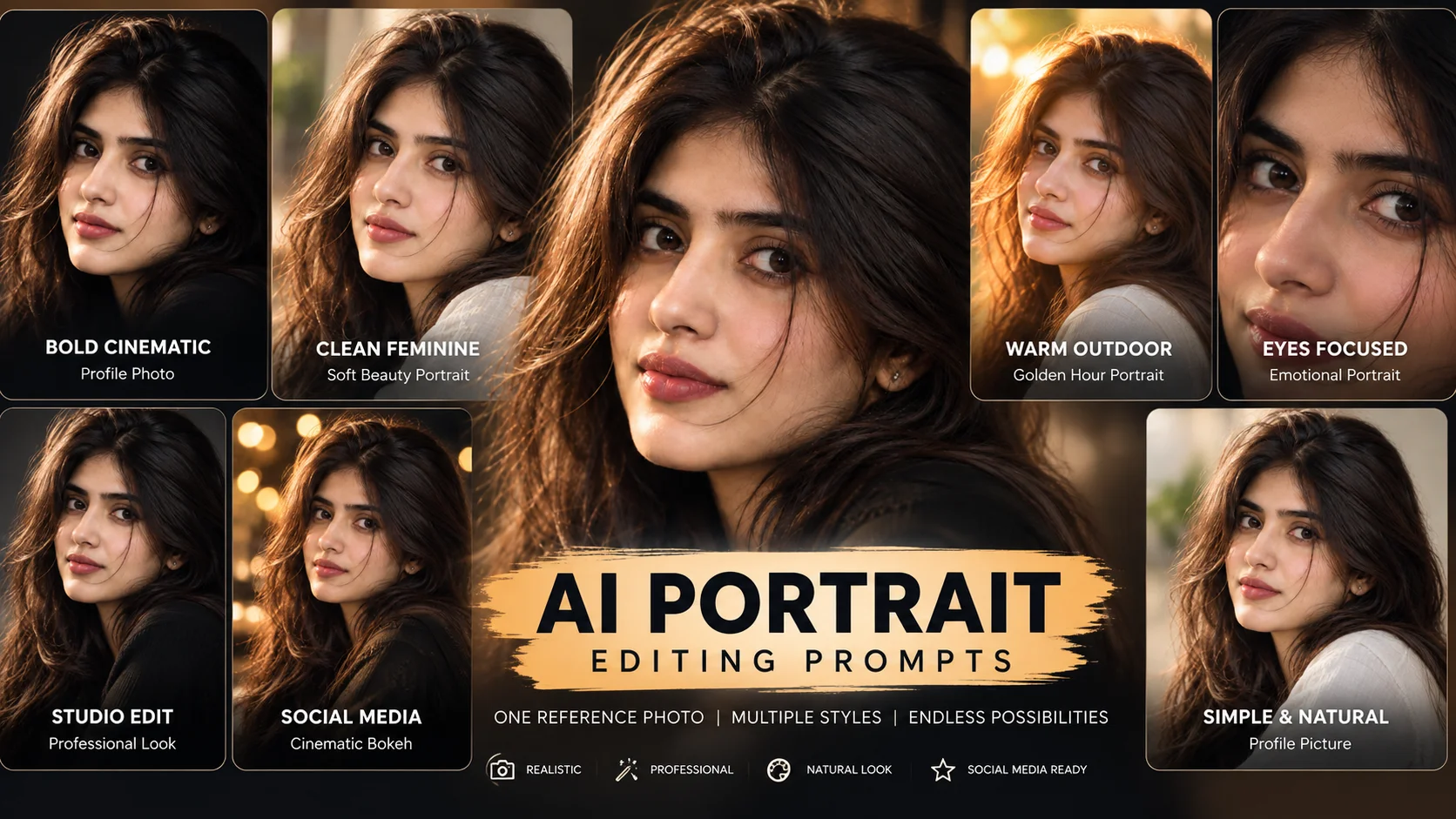
Close-up portrait prompts are used to create sharp, face-focused AI photo edits from normal selfies or portraits. This style puts the face, eyes, skin texture, hair detail and lighting mood at the center of the image.
These prompts work well for profile pictures, Instagram posts, wallpapers, beauty portraits, studio edits and cinematic face crops. A good close-up portrait should not look plastic or over-filtered. It should keep the face clear, the eyes detailed and the background softly blurred.
For best results, upload a clear portrait photo where the face is visible. Avoid low-light, blurry or heavily filtered images because close-up edits depend on facial detail.
1. Cinematic Face-Focus Portrait
Best for: Profile picture or Instagram post
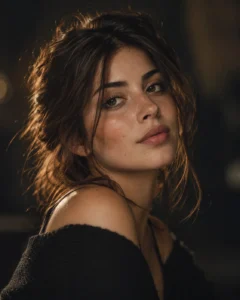
Prompt:
Create a realistic cinematic close-up portrait of the girl from the reference photo. Keep her face sharp and naturally detailed, with expressive eyes, realistic skin texture, soft lips, subtle makeup and a calm confident expression. Add warm key light on the face, soft rim light around the hair, dark blurred background, shallow depth of field and premium editorial color grading. The result should look like a professional 85mm portrait photo. Avoid plastic skin, face distortion, extra fingers, fake eyes, text, logo or watermark.
Recommended aspect ratio: 4:5 or 1:1
Customizable elements: Expression, background color, light warmth, makeup level
Test status: Not yet model-tested
2. Dark Background Close-Up Portrait
Best for: Bold cinematic profile photo
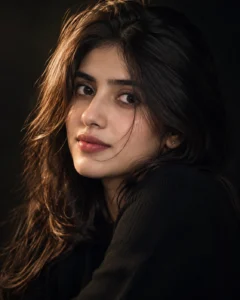
Prompt:
Edit the uploaded photo into a dramatic close-up portrait with a clean dark background. Keep the girl’s face bright and sharp, eyes detailed, skin texture natural and hair softly highlighted. Add strong side lighting, gentle face shadows, black outfit, editorial framing and smooth cinematic contrast. The background should be simple and blurred so the focus stays on the face. Avoid over-dark face, oversmoothed skin, distorted facial features, messy background, text and watermark.
Recommended aspect ratio: 4:5
Customizable elements: Black outfit, side light direction, shadow strength, background darkness
Test status: Not yet model-tested
3. Soft Beauty Close-Up Portrait
Best for: Clean feminine portrait
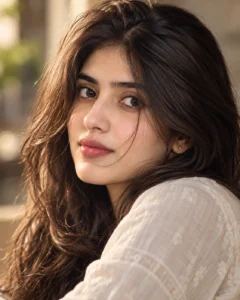
Prompt:
Create a soft beauty close-up portrait of the girl from the reference photo. Use gentle daylight on the face, natural skin texture, clear eyes, soft pink lips, light makeup, smooth hair detail and a creamy blurred background. Keep the portrait realistic and elegant with warm color grading and shallow depth of field. Do not make the skin look fake or overly smooth. Avoid face changes, artificial eyes, distorted lips, text, logos and watermark.
Recommended aspect ratio: 4:5 or 1:1
Customizable elements: Makeup, lip color, background tone, hair style
Test status: Not yet model-tested
4. Golden Hour Close-Up Portrait
Best for: Warm outdoor portrait

Prompt:
Transform the uploaded photo into a golden-hour close-up portrait. Add soft warm sunlight on the face, glowing hair edges, creamy outdoor bokeh, natural facial details, realistic skin texture, bright eyes and a peaceful expression. Keep the face sharp and the background softly blurred. Use a professional DSLR portrait style with natural colors and soft film grain. Avoid orange over-saturation, plastic skin, blurry face, fake light leaks, text and watermark.
Recommended aspect ratio: 4:5
Customizable elements: Sunlight intensity, background type, expression, outfit color
Test status: Not yet model-tested
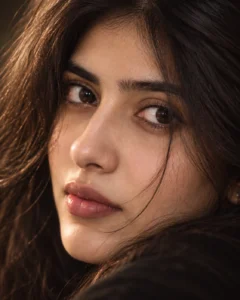
5. Eye-Focus Close-Up Portrait
Best for: Emotional portrait or wallpaper
Prompt:
Create an intense close-up portrait focused on the girl’s eyes. Keep the eyes sharp, reflective and expressive, with natural eyebrows, realistic eyelashes, soft skin texture and gentle shadows across the face. Use a shallow depth of field, dark smooth background, soft cinematic lighting and subtle film grain. The lower face can remain softly visible, but the eyes should be the main focus. Avoid fake eye color, distorted eyes, over-retouched skin, text and watermark.
Recommended aspect ratio: 1:1 or 4:5
Customizable elements: Eye contact, shadow level, background color, crop tightness
Test status: Not yet model-tested
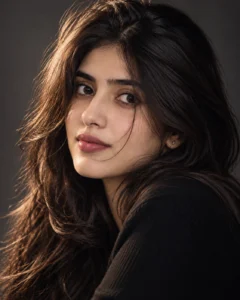
6. Studio Close-Up Portrait
Best for: Professional-looking studio edit
Prompt:
Create a professional studio close-up portrait of the girl from the uploaded photo. Use a smooth gray or black studio background, softbox lighting on the face, gentle rim light on the hair, natural skin detail, clean facial shadows and premium magazine-style color grading. Keep the portrait realistic, balanced and sharp. The face should remain natural without heavy beautification. Avoid flat lighting, plastic skin, distorted features, extra accessories, text or watermark.
Recommended aspect ratio: 4:5
Customizable elements: Studio background, light direction, outfit, crop style
Test status: Not yet model-tested
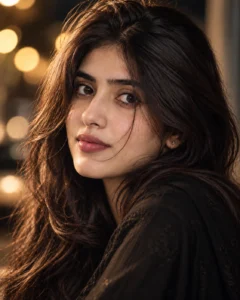
7. Cinematic Bokeh Close-Up Portrait
Best for: Social media display photo
Prompt:
Edit the reference photo into a cinematic close-up portrait with a soft bokeh background. Keep the girl’s face sharp and natural, with detailed eyes, realistic skin texture, soft hair movement and gentle expression. Add warm blurred lights in the background, shallow depth of field, subtle film grain and clean color grading. The image should feel premium and realistic, not cartoonish. Avoid fake bokeh shapes, face distortion, over-sharpening, text and watermark.
Recommended aspect ratio: 4:5
Customizable elements: Bokeh color, background light, hair movement, expression
Test status: Not yet model-tested
8. Minimal Natural Close-Up Portrait
Best for: Simple profile picture

Prompt:
Create a minimal natural close-up portrait of the girl from the uploaded photo. Use soft natural lighting, clean blurred background, realistic skin texture, natural lips, clear eyes and simple face-centered framing. Keep the edit subtle, elegant and realistic with no heavy makeup or dramatic effects. The result should look like a clean professional portrait photo. Avoid excessive filters, plastic skin, altered face shape, distorted eyes, text and watermark.
Recommended aspect ratio: 1:1 or 4:5
Customizable elements: Background color, smile level, crop, lighting softness
Test status: Not yet model-tested
How to Use These Close-Up Portrait Prompts
- Upload a clear portrait photo.
- Copy one prompt from the list above.
- Paste it into your AI photo editing tool.
- If the face changes too much, ask for “natural facial consistency close to the uploaded photo.”
- If the skin looks fake, ask for “realistic skin texture with no plastic smoothing.”
- Check the eyes, lips, hairline, background and face shape before publishing.
Customization Tips
For a strong profile photo, use dark background, side light and direct eye contact.
For a soft beauty look, use daylight, light makeup, creamy background and warm color grading.
For a cinematic look, use bokeh lights, shallow depth of field, rim light and subtle film grain.
For a clean professional look, use studio background, softbox lighting and minimal retouching.
Common Problems and Fixes
If the face looks different, use a clearer reference photo and add: “keep the face naturally close to the uploaded image.”
If the eyes look fake, add: “realistic eye reflections, natural eye color and correct eye shape.”
If the skin looks plastic, add: “natural pores, realistic skin texture, no heavy beauty filter.”
If the background distracts from the face, add: “simple blurred background with no objects or text.”
If the crop is too tight, add: “show full face, hairline and shoulders naturally.
Frequently Asked Questions
What is a close-up portrait AI prompt?
It is a copy-paste instruction that helps an AI image tool create a face-focused portrait with sharp eyes, realistic skin texture, controlled lighting and blurred background.
Can I use these prompts in ChatGPT?
Yes, you can use them in ChatGPT image editing if image upload and image generation are available in your account.
Which prompt is best for a profile picture?
The cinematic face-focus portrait and minimal natural close-up portrait are best for profile pictures.
How do I keep the close-up portrait realistic?
Use a clear reference photo and include terms like realistic skin texture, natural lighting, sharp eyes and no plastic skin.
Can I use these prompts for boys too?
Yes, but this article is written for girls. You can replace “girl” with “boy” or “man” depending on the photo.
Are these prompts tested?
These prompts are not yet model-tested. Results can vary depending on the uploaded photo, AI tool, model version and editing settings.
Final Words
Trending close-up portrait prompts are best when you want the face, eyes and expression to become the main focus of the image. Start with the cinematic face-focus prompt for a balanced result, or use the dark background prompt if you want a stronger editorial look.
For more portrait ideas, explore the Girls AI Prompts category on Prompt Seen.
